

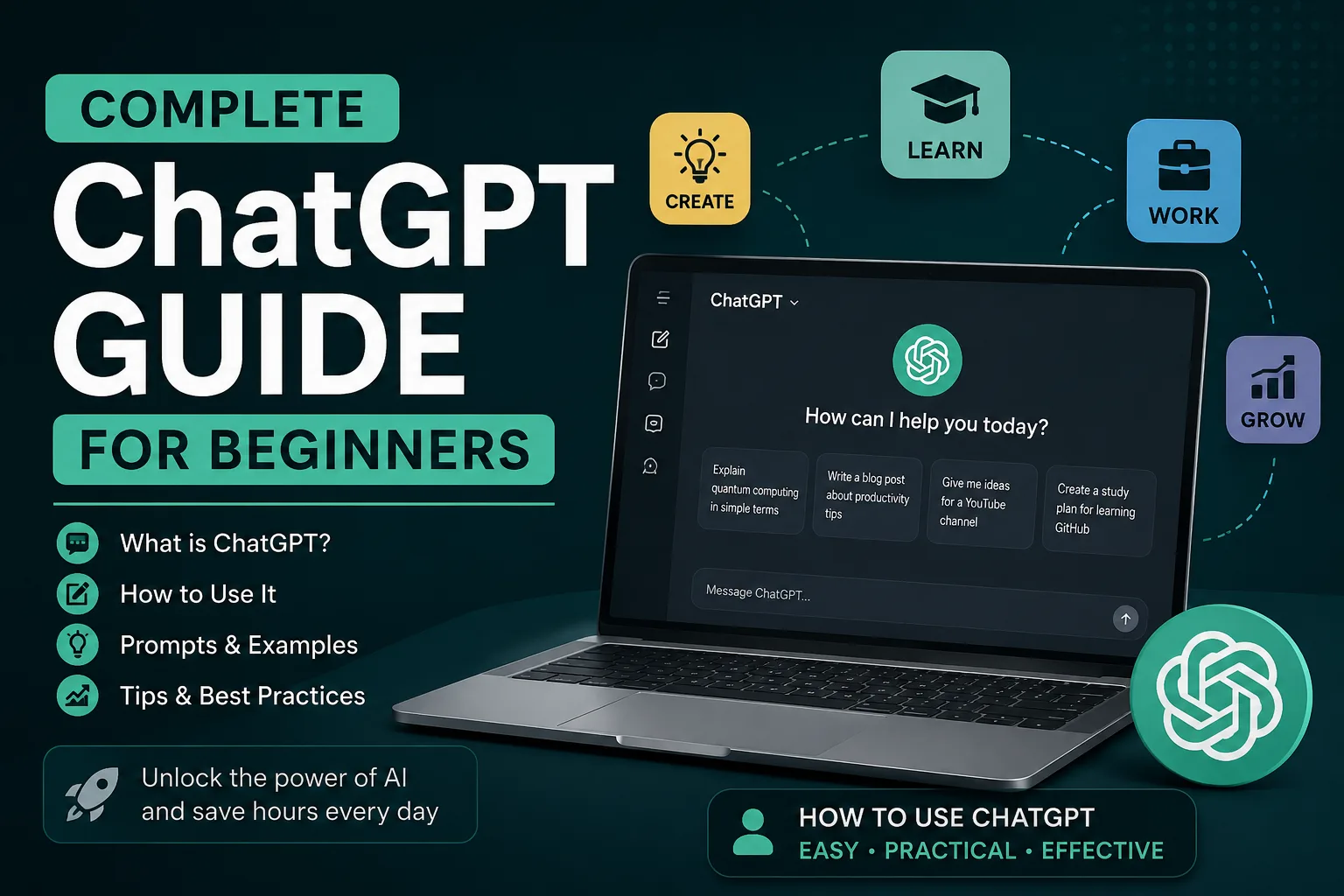
I have been using ChatGPT almost daily since late 2022. I have watched it evolve, stumbled through its quirks, and discovered what actually works versus what sounds good in theory. This guide is everything I wish someone had handed me on day one.
No hype. No jargon. Just practical, honest advice from someone who genuinely uses this tool.
If you have never opened ChatGPT before, or you have tried it a few times and felt underwhelmed, you are in the right place. By the end of this article, you will know exactly how to make it work for you.
What Is ChatGPT?
ChatGPT is a conversational AI tool built by OpenAI. You type something, it responds. That sounds simple, and it is, but the technology underneath is genuinely remarkable.
Think of it as a highly knowledgeable assistant that has read an enormous chunk of the internet up to its training cutoff date. It can write, summarise, brainstorm, code, translate, and solve problems. It does not actually think or feel anything, but it is extraordinarily good at predicting what words should come next in a sequence. That prediction ability, trained on vast amounts of text, produces responses that often feel uncannily human.
The name stands for Chat Generative Pre-trained Transformer. You do not need to remember that. What matters is this: it is the most accessible AI tool ever created, and millions of people now use it every single day.
Who Created ChatGPT?
OpenAI, a San Francisco based artificial intelligence research company, developed ChatGPT. The company launched in 2015 with backing from several high profile investors. Their stated mission is to ensure artificial general intelligence benefits all of humanity.
ChatGPT launched publicly in November 2022 and became the fastest growing consumer application in history at that time. It reached 100 million users within two months. That record has since been challenged, but the impact was undeniable.
How ChatGPT Works in Simple Language
You do not need a computer science degree to understand the basics. Here is the simplest explanation I can give.
ChatGPT is a large language model, often shortened to LLM. During training, it processed billions of sentences from books, articles, websites, and other text sources. Through this process, it learned patterns in human language: grammar, facts, reasoning structures, writing styles, and even cultural references.
When you ask it a question, it does not search a database for a matching answer. Instead, it predicts the most probable sequence of words that would form a helpful response, based on everything it learned during training. This is why it sometimes sounds confident while being completely wrong. It is predicting what a good answer looks like, not retrieving a verified fact.
That distinction matters enormously. We will come back to it.
AI, LLMs and ChatGPT: What Is the Difference?
These terms get thrown around interchangeably, which creates confusion. Here is how to keep them straight.
- Artificial Intelligence (AI) is the broadest term. It covers any machine system that performs tasks normally requiring human intelligence. That includes everything from chess engines to facial recognition to self-driving car algorithms.
- Large Language Models (LLMs) are a specific type of AI trained on massive text datasets. They specialise in understanding and generating human language. GPT-4, Claude, Gemini, and Llama are all LLMs.
- ChatGPT is a product built on top of OpenAI’s LLMs. The free version uses GPT-4o mini or GPT-3.5 depending on load, while the paid version uses GPT-4o and other advanced models. ChatGPT wraps the underlying model in a chat interface with conversation memory and additional features.
So all ChatGPT instances are LLMs at work, but not all LLMs are ChatGPT. Simple enough.
What ChatGPT Can Actually Do
The range is broader than most newcomers realise. Here is what I have found it genuinely useful for.
- Writing and editing: Drafting emails, articles, social media posts, cover letters, and creative fiction. It can also tighten up prose you have already written.
- Summarising: Paste a long document or article and ask for a concise summary. It handles this remarkably well.
- Brainstorming: Stuck for ideas? ChatGPT excels at generating possibilities, whether you need blog topics, business names, or plot twists.
- Learning and explaining: Ask it to explain complex topics at different levels. Try “explain quantum computing to a twelve-year-old” for a genuinely useful answer.
- Coding assistance: It can write, debug, and explain code in dozens of programming languages. Developers use it constantly.
- Data organisation: Give it messy data and ask for a structured table or CSV output.
- Translation: It handles most major language pairs competently, often with better nuance than traditional translation tools.
- Role playing scenarios: Practise job interviews, difficult conversations, or sales pitches.
- Planning: Trip itineraries, meal plans, workout routines, study schedules.
What ChatGPT Cannot Do
Knowing its limits prevents frustration and, frankly, embarrassment. I have seen people rely on ChatGPT for things it absolutely should not handle.
- Provide real-time information: Unless you are using a version with browsing enabled, ChatGPT’s knowledge has a cutoff date. It cannot tell you today’s weather, stock prices, or breaking news.
- Guarantee factual accuracy: It confidently presents incorrect information. This is called hallucination, and it happens more often than OpenAI’s marketing suggests.
- Perform tasks outside text: It cannot send emails, book flights, make purchases, or interact with external systems unless connected through plugins or APIs.
- Understand emotions genuinely: It can simulate empathy convincingly, but it does not feel anything. Do not use it as a replacement for genuine human support.
- Handle highly specialised domains reliably: For legal advice, medical diagnoses, or financial planning, treat its output as a starting point for research, never a final answer.
Benefits of ChatGPT
The upsides are substantial when you use it thoughtfully.
- Speed: Tasks that would take hours of research or drafting can be completed in minutes.
- Availability: It works 24/7. Late night brainstorming session? It is there.
- Versatility: One tool handles writing, coding, analysis, and learning.
- Low barrier to entry: The free tier is genuinely useful. You can start without spending a penny.
- Patience: It never gets tired of your questions. Ask the same thing ten different ways and it will answer each time.
Limitations You Should Know About
I want to be blunt about these because too many beginner guides gloss over them.
- Hallucinations: It makes things up. Dates, names, statistics, entire academic references have been fabricated. Always verify.
- Context window constraints: Long conversations eventually exceed its memory. Older parts of the chat get dropped, which can lead to inconsistent responses.
- Generic output: Without good prompting, responses tend toward bland, middle-of-the-road prose.
- Bias: Training data contains human biases, and those sometimes surface in responses.
- Overconfidence: It rarely expresses uncertainty, even when completely wrong.
Free vs Paid Plans
OpenAI offers several tiers. Here is how they compare.
| Feature | Free | ChatGPT Plus | ChatGPT Pro |
|---|---|---|---|
| Monthly Cost | Free | $20/month | $200/month |
| Best For | Everyday users and beginners | Students, professionals and creators | Researchers, developers and power users |
| AI Models | Latest free-tier models | Access to more advanced models | Access to the full range of available models with higher limits |
| Response Speed | Standard priority | Higher priority | Highest priority |
| Image Generation | Limited | Extended access | Highest usage limits |
| File Uploads | Basic uploads | Larger file uploads and advanced analysis | Highest upload limits |
| Voice Conversations | Limited | Full voice access | Full voice access |
| Usage Limits | Lower | Higher | Highest |
Note: Features and model availability may change over time. Pricing shown is based on OpenAI’s standard US subscription plans and may vary by country or region.
For most beginners, I recommend starting with the free tier. Use it for a couple of weeks. If you find yourself hitting limits or wanting faster responses, the Plus plan at £16 monthly is solid value. The Pro tier is overkill unless you are doing heavy research or development work daily.
How to Create an Account
This takes roughly two minutes.
- Go to chat.openai.com
- Click “Sign up”
- Enter your email address or sign up with a Google, Microsoft, or Apple account
- Verify your email via the link sent to your inbox
- Enter your name and date of birth
- Verify your phone number via SMS
That is it. You land on a clean chat interface with a text box at the bottom. That text box is where everything begins.
How to Start Chatting
Type something and press enter. It genuinely is that straightforward.
Your first message might be something like: “Explain what ChatGPT can help me with as a university student.” Or simply: “Hello, what can you do?” The model responds, and the conversation flows from there.
Each exchange builds context. The model remembers what was said earlier in the conversation, which means you can ask follow-up questions without repeating yourself.
How Conversations Work
Every chat exists as a separate conversation thread. You can see your history in the left sidebar. Each thread maintains its own context, so switching between threads means starting fresh.
Key things to know:
- You can rename conversations for easier organisation. Hover over the title in the sidebar and click the edit icon.
- You can delete conversations individually or clear your entire history.
- Chats can be archived for later reference.
- Conversations with uploaded files and images are possible on Plus plans.
The model has a context limit. For very long conversations, the earliest messages eventually get trimmed. If you notice the AI forgetting things you discussed earlier, that is why. Starting a new chat and summarising the key points from the previous one is a practical workaround.
Understanding Prompts
A prompt is simply whatever you type into the text box. Every question, instruction, or statement is a prompt.
The quality of your prompt directly determines the quality of the response. This is the single most important concept in this entire guide. People who complain that ChatGPT produces generic, unhelpful output are almost always using vague prompts.
Compare these two examples.
| Bad Prompt | Good Prompt |
|---|---|
| “Write a blog post about productivity.” | “Write a 600-word blog post about morning productivity routines for remote workers. Use a conversational tone. Include three specific techniques backed by research. Avoid generic advice. Target audience: professionals aged 25-40.” |
| “Help me with my CV.” | “Review this CV for a mid-level marketing manager role at a tech startup. Identify three areas for improvement. Focus on measurable achievements rather than responsibilities. Here is the CV text: [paste].” |
Same topics. Radically different outputs. The second prompts give the model something to work with: structure, tone, audience, and specific instructions.
How to Write Better Prompts
After thousands of interactions, I have settled on a few principles that consistently produce better results.
- Be specific: Vague input yields vague output. Tell it exactly what you want.
- Provide context: Explain why you need the information and how it will be used.
- Specify format: Ask for bullet points, a table, a paragraph, a script, JSON, whatever fits your needs.
- Set tone: Formal, conversational, humorous, academic, empathetic. The model can shift between registers easily.
- Define audience: Tell it who will read the output. Writing for executives differs from writing for teenagers.
- Give examples: Showing what you want is often more effective than describing it.
- Assign a role: Starting with “You are an experienced financial advisor” or “Act as a patient maths tutor” dramatically shifts response quality.
A Prompt Formula Beginners Should Remember
If you remember nothing else about prompting, remember this simple framework.
Role + Task + Context + Format + Constraints
Example applied:
“You are a senior product manager (role). Create a list of potential features for a meditation app (task). The app targets busy professionals who struggle to meditate consistently (context). Present it as a prioritised table with columns for feature name, effort estimate, and user impact (format). Focus only on features that could ship in the first six months (constraint).”
That prompt will produce something genuinely useful. The difference between that and “Give me meditation app ideas” is night and day.
Examples of Bad Prompts
Learn from these. I have made every one of these mistakes.
- “Write something about marketing.” (Too vague. What kind of marketing? For whom? In what format?)
- “Make this better.” (Better how? Shorter? Funnier? More formal? The model cannot read your mind.)
- “Tell me everything about AI.” (Impossibly broad. It will produce a shallow, generic summary.)
- “What should I eat?” (No context about dietary needs, preferences, or goals.)
Examples of Good Prompts
- “Summarise this research paper in 200 words for a non-technical audience. Focus on the practical implications, not the methodology. Here is the text: [paste].”
- “You are a hiring manager at a design agency. Review this portfolio description and identify its three strongest points and two areas that need improvement. Be direct and constructive.”
- “Create a 7-day meal plan for a vegetarian who is training for a half marathon. Daily calorie target: 2,400. Include protein sources in every meal. Format as a table.”
Prompt Templates
These are starting points. Adapt them freely.
Learning template:
Explain [topic] to me as if I am a [level]. I already understand [prerequisite knowledge]. Focus on [specific aspect]. Give me three practical examples.Writing template:
Write a [length] [format] about [topic] for [audience]. Use a [tone] tone. Include [specific element]. Avoid [thing to avoid].Feedback template:
Review this [document type] for [purpose]. Identify [number] strengths and [number] weaknesses. Be specific and actionable. Here is the text: [paste].ChatGPT for Students
Students were among the earliest adopters, and for good reason. ChatGPT can explain difficult concepts, help structure essays, quiz you before exams, and brainstorm research angles.
The key is using it as a learning aid rather than a shortcut. Ask it to explain why an answer is correct. Request practice questions. Have it challenge your assumptions. Copy-pasting essays is both academically dishonest and easily detectable. Plus, you learn nothing. The students who benefit most are those who use it to deepen understanding, not bypass it.
ChatGPT for Bloggers and Writers
I use it regularly for my writing work. It helps with outline generation, headline brainstorming, and breaking through writer’s block. I do not use it to write final drafts wholesale because the output lacks genuine voice and original insight.
Where it shines: generating alternatives when you are stuck, suggesting structural improvements, and spotting logical gaps in arguments. Treat it as an editorial assistant, not a ghostwriter. If you are curious about how AI intersects with content strategy more broadly, the principles around AI in SEO are worth understanding, especially as search engines evolve their relationship with AI-generated content.
ChatGPT for Developers
This is arguably where ChatGPT delivers the most measurable productivity gains. It writes boilerplate code, debugs error messages, explains unfamiliar codebases, and generates documentation.
A practical workflow: paste an error message and ask for an explanation plus a fix. Then ask why the fix works. This turns every bug into a learning opportunity. The code is not always optimal, and you should review everything carefully, but as a pair programming partner, it is remarkably capable.
ChatGPT for Business Owners
Small business owners often wear every hat. ChatGPT can draft contracts, write job descriptions, brainstorm marketing copy, and analyse customer feedback.
I have seen sole traders use it to draft professional proposals that would have previously required hiring a copywriter. The output needs polishing, but it provides a solid foundation. For customer service, it can draft response templates for common enquiries, saving hours every week.
ChatGPT for Freelancers
Freelancers juggle client work, admin, marketing, and professional development. ChatGPT helps with all of it. Proposals, invoices, client emails, portfolio writing, and even rate negotiation scripts.
One underrated use: pasting a difficult client email and asking ChatGPT to draft a diplomatic, professional reply. It removes the emotional charge and produces something you can edit rather than starting from scratch while frustrated.
ChatGPT for Researchers
Literature reviews, hypothesis generation, and methodology critiques are all fair game. ChatGPT can summarise papers, identify research gaps, and suggest experimental designs.
The massive caveat: it invents references. I cannot stress this enough. If you ask for academic citations, it may produce completely fabricated papers with plausible sounding titles and realistic author names. Always verify every reference against Google Scholar or your institutional database. Use it for ideation and summarisation, not as a citation generator.
ChatGPT for Marketing Professionals
Ad copy variations, A/B test ideas, customer persona development, content calendars, and competitive analysis all benefit from ChatGPT assistance. Feed it your brand guidelines and target audience details, then ask for campaign concepts.
It is particularly good at generating multiple angles for the same product. Where a human might think of three approaches, ChatGPT can produce twenty in seconds. Most will be average, but a few will spark something genuinely creative.
ChatGPT for Teachers
Lesson plans, quiz questions, differentiated materials for varying ability levels, and engaging classroom activities. Teachers I know use it to generate examples that resonate with their specific students’ interests.
If you are teaching algebra to a class of football-obsessed fourteen-year-olds, ask ChatGPT to frame problems around match statistics. The engagement difference is noticeable. It also handles rubric creation and providing constructive feedback phrasing for report cards.
ChatGPT for Job Seekers
CV tailoring, cover letter drafting, LinkedIn profile optimisation, and interview preparation. Paste the job description and your CV, then ask for a gap analysis. What skills should you emphasise? What experiences align best with their requirements?
For interview practice, try: “You are a hiring manager for [role] at [company type]. Conduct a mock interview with me. Ask one question at a time. After my response, give brief feedback before the next question.” This is genuinely useful preparation.
ChatGPT for Daily Life
Beyond work, people use it for recipe ideas based on whatever is in the fridge, travel planning, gift suggestions, and explaining complex news stories in simple terms.
I have used it to identify plants in my garden by describing their leaves and flowers. I have used it to draft difficult text messages where tone mattered enormously. I have asked it to suggest conversation starters for networking events. These small applications add up.
ChatGPT Productivity Tips
- Use keyboard shortcuts: Shift+Enter for a new line without sending. It saves constant mouse clicking.
- Create prompt libraries: Save your best prompts in a notes app. Reuse and refine them.
- Chain your prompts: Break complex tasks into smaller steps across multiple messages rather than cramming everything into one.
- Use custom instructions: In settings, you can set preferences that apply to all conversations. Tell it about your role, interests, and how you want responses structured.
- Start fresh regularly: Long conversations degrade. New chats with clear context produce better results.
Common Mistakes Beginners Make
I have watched newcomers repeat the same errors. Here is what to avoid.
- Treating it like Google: ChatGPT is not a search engine. It is a language model. Asking “What is the best restaurant in my area?” without browsing enabled yields a made-up answer.
- Accepting everything as true: Always verify important claims. Especially numbers, dates, and quotes.
- Being too polite or too vague: You do not need to say please and thank you excessively. Direct, clear instructions work better than tentative requests.
- Giving up after one bad response: Regenerate the answer, rephrase your prompt, or provide more context. The first response is rarely the best possible output.
- Sharing sensitive information: We will cover this in privacy shortly, but do not paste confidential company data, personal identification documents, or private financial details.
Privacy Tips
OpenAI’s privacy policy states that data from free tier users may be used for training. Plus and Pro users can opt out of training data collection in settings. Regardless of your plan:
- Never share passwords, API keys, or authentication tokens.
- Avoid pasting entire confidential documents.
- Be mindful that conversations are stored on OpenAI servers.
- Consider whether the information you are sharing would be problematic if exposed.
Safety Tips
- ChatGPT can produce convincing misinformation. Treat its outputs as drafts, not finished products.
- It can simulate emotional responses but has no real empathy. For mental health support, speak to a qualified professional.
- Be cautious about following its advice in high-stakes situations: medical, legal, financial, or safety-related decisions.
- Children should use it with supervision. The content filters are not perfect.
Fact Checking AI Answers
Develop this habit early. When ChatGPT makes a factual claim, ask yourself: can I verify this independently? If the answer matters, find a primary source.
I regularly ask ChatGPT to provide sources for its claims. Sometimes it produces real ones. Sometimes it fabricates them entirely. Cross-reference anything important with established references: academic journals, official websites, reputable news outlets.
How to Verify Information
- Ask ChatGPT to cite sources for its claims.
- Search those sources independently. Do not trust that they exist just because the model cites them.
- Check dates. The model may present outdated information as current.
- Seek consensus. If multiple independent sources confirm something, confidence increases.
- When in doubt, ask: “How confident are you about this information?” The answer is sometimes illuminating.
When NOT to Trust ChatGPT
- Medical advice: Consult a doctor. Full stop.
- Legal guidance: Laws vary by jurisdiction. A generic answer could be dangerously wrong for your situation.
- Financial decisions: Investment advice, tax strategies, and major purchases need professional input.
- Real-time events: Unless browsing is active, its knowledge is frozen at the training cutoff.
- Personal safety matters: Emergency situations need real human responders, not AI.
Real Life Use Cases
Here are some ways I have personally used ChatGPT in the past month.
- Drafted a complaint letter about a faulty appliance. Professional tone, clear facts, appropriate assertiveness. The issue was resolved within days.
- Analysed a confusing insurance policy document. Pasted the text and asked for a plain English summary with key exclusions highlighted.
- Planned a weekend itinerary for visiting relatives, accounting for a toddler and an elderly parent. The suggestions were practical and well paced.
- Debugged a Python script that had been frustrating me for an hour. It spotted the syntax error in seconds.
- Generated discussion questions for a book club meeting. The questions sparked better conversation than any previous session.
Time Saving Workflows
Combine ChatGPT with other tools for compound productivity gains. For instance, some of my colleagues use AI browser assistants alongside ChatGPT to handle different types of tasks without constantly switching contexts. The browser assistant handles quick lookups and page summaries while ChatGPT tackles deeper analytical work. This division of labour is genuinely efficient once you establish the habit.
How ChatGPT Compares with Search Engines
| Aspect | ChatGPT | Google Search |
|---|---|---|
| Strengths | Synthesis, explanation, generation | Retrieval, currency, breadth |
| Information freshness | Training cutoff (unless browsing) | Real-time indexed |
| Output style | Conversational, synthesised | List of links |
| Factual reliability | Requires verification | Depends on source quality |
| Best for | Creating, summarising, explaining | Finding specific facts, current events |
| Source transparency | Often opaque | Clear link to original |
They complement each other. Use search engines to find accurate, current information. Use ChatGPT to process, synthesise, and transform that information into something useful.
Future of Conversational AI
This technology is evolving rapidly. Multimodal models that process text, images, and audio simultaneously are already emerging. Voice conversations are becoming more natural. Integration into everyday software is accelerating.
What seems clear is that conversational AI will become embedded in how we interact with computers, much like search engines did in the late 1990s. The specific form this takes will keep shifting, but the core skill, knowing how to communicate effectively with AI systems, will remain valuable for years to come. For a broader perspective on how these technologies fit together, the ultimate guide to AI tools provides a helpful overview of the current landscape.
Beginner Checklist
Before you dive in, here is a quick checklist to set yourself up for success.
- Create a free account and explore the interface.
- Try three different types of prompts: a question, a creative request, and an analytical task.
- Experiment with follow-up questions to understand conversational context.
- Save a prompt template you find useful for repeated use.
- Set up custom instructions with basic preferences about your role and communication style.
- Verify at least one factual claim ChatGPT makes, just to build the verification habit.
- Explore the settings page to understand your privacy options.
50 Useful ChatGPT Prompts for Beginners
These prompts are ready to use. Copy them, adapt the bracketed sections, and start experimenting. Each includes a brief explanation of when you might reach for it.
Writing
Rewrite this paragraph to be more concise while keeping the core message intact: [paste text]Perfect for tightening wordy prose without losing meaning.
Write a persuasive email to a potential client introducing my [service]. Keep it under 150 words and focus on the problem I solve.Cold outreach is hard. This gives you a solid draft in seconds.
Suggest five alternative headlines for this article: [paste article or topic]Headline fatigue is real. Fresh options help enormously.
Proofread this text for spelling, grammar, and clarity. List corrections in bullet points: [paste text]Treat it as a first-pass editor before human review.
Convert this bullet-point list into flowing prose suitable for a blog post introduction: [paste bullets]Useful when you have outlined ideas but struggle with narrative flow.
Learning
Explain [concept] using a simple analogy a beginner would understand.Analogies are powerful teaching tools. ChatGPT generates them well.
Create a 10-question quiz on [topic] with answers and brief explanations for each.Self-testing is one of the most effective study techniques.
What are the most common misconceptions about [topic]? List and correct each one.Learning what not to believe is as important as learning facts.
Break down [complex process] into simple steps. Explain each step as if teaching a complete novice.Sequential breakdowns make overwhelming topics manageable.
I am studying [subject]. Create a 30-day learning plan with daily topics and practice exercises.Structure accelerates learning. This provides a ready-made curriculum.
Business
Analyse this business idea for potential weaknesses. Be brutally honest: [describe idea]Friends and family are polite. ChatGPT can be direct about blind spots.
Draft a one-page business plan outline for a [industry] startup. Focus on problem, solution, market, and revenue model.A starting framework that you can flesh out with your own research.
List ten low-cost marketing tactics for a local [business type]. Prioritise by expected impact.Practical ideas without the consultant price tag.
Write a professional response to this customer complaint that acknowledges their frustration and offers a solution: [paste complaint]Removes the emotional friction from handling difficult feedback.
Compare the pros and cons of [business decision A] versus [business decision B] in a structured table.Decision matrices help clarify thinking under pressure.
Marketing
Generate twenty social media post ideas for a [niche] brand. Include a mix of educational, entertaining, and promotional content.Content calendars feel less daunting with a big pool of ideas to draw from.
Write three variations of Google Ads copy for [product]. Character limit: 90 characters per headline.Ad platforms have tight constraints. Specifying limits keeps output usable.
Create a customer persona for someone who would buy [product]. Include demographics, pain points, and purchasing motivations.Persona work sharpens messaging. This provides a solid starting profile.
Suggest five email subject lines for a newsletter about [topic]. Make them curiosity-driven but not clickbaity.Subject lines determine open rates. Testing variations is always worthwhile.
Audit this landing page copy for persuasive elements. What is missing? What could be stronger?: [paste copy]A fresh perspective on copy you have been staring at for too long.
Coding
Explain what this code does in plain English: [paste code]Invaluable when inheriting someone else’s uncommented work.
Debug this error message and suggest a fix: [paste error]Saves hours of forum searching for common error patterns.
Write a Python script that [describes functionality]. Include comments explaining each section.Specify the language and describe the desired behaviour clearly.
Refactor this code to be more readable and efficient. Explain your changes: [paste code]Learn better coding practices by seeing improvements applied to your own work.
Write unit tests for this function covering edge cases: [paste function]Testing is essential but tedious. Automating the first draft speeds things up.
Career
Tailor my CV for this job description. Highlight relevant experience and suggest improvements: [paste CV and job description]Customisation matters for applicant tracking systems. This makes it faster.
Generate five questions I should ask in an interview for [role] at [company type].Asking thoughtful questions leaves a strong impression on interviewers.
Write a LinkedIn post announcing my new role at [company]. Make it warm and genuine, not corporate.Personal branding moments benefit from a polished starting draft.
Help me prepare for a salary negotiation. Role-play the employer and push back on my requests.Practising difficult conversations in a low-stakes environment builds confidence.
Review my professional bio and suggest three ways to make it more compelling: [paste bio]Bios are hard to write about yourself. External input helps.
Write a polite follow-up email for a job application submitted two weeks ago.Following up is important but awkward. This removes the hesitation.
Draft a meeting request email for [purpose]. Include proposed agenda items and suggest three time slots.Well-structured meeting requests get faster responses.
Help me decline an invitation gracefully. I want to maintain the relationship but cannot attend.Saying no without burning bridges is a valuable communication skill.
Write a thank-you email after a job interview. Reference specific topics we discussed: [list topics]Specificity in thank-you notes demonstrates genuine engagement.
Summarise this long email thread into three key points and suggest a response: [paste thread]Email overload is real. Quick summaries save mental bandwidth.
Travel
Create a 5-day itinerary for [city] with a focus on [interest, e.g., food, history, nature]. Include estimated timings.Personalised itineraries beat generic guidebook recommendations.
What should I pack for a [duration] trip to [destination] in [season]? List essentials only.Packing lists tailored to specific conditions prevent overpacking.
Suggest five off-the-beaten-path attractions near [popular destination].Tourist hotspots are easy to find. Hidden gems take more digging.
Translate these useful phrases into [language] with pronunciation guides: [list phrases]Practical language preparation for smoother travel experiences.
Compare [destination A] and [destination B] for a [type of trip]. Consider cost, weather, activities, and safety.Structured comparisons make trip decisions easier.
Personal Productivity
Help me prioritise this task list using the Eisenhower Matrix framework: [paste tasks]External prioritisation cuts through the overwhelm of a long to-do list.
Create a morning routine designed to improve focus and energy. I have [amount] minutes available.Routine design benefits from structure and evidence-based suggestions.
Suggest strategies to overcome procrastination on [specific task]. I suspect I am avoiding it because [reason].Targeted advice beats generic productivity platitudes.
Break down [large project] into manageable weekly milestones over [timeframe].Big projects paralyse. Milestones create momentum.
Help me reflect on my week. Ask me five questions that prompt honest self-assessment.Guided reflection surfaces insights that unstructured journaling misses.
Brainstorming
Generate thirty name ideas for a [product type] that conveys [desired brand feeling].Quantity matters in brainstorming. Most ideas will miss, but one or two will stick.
What are some unconventional ways to [achieve goal]? Think beyond the obvious approaches.Pushing past conventional answers often yields creative breakthroughs.
Play devil's advocate on my plan. Challenge every assumption: [describe plan]Stress-testing ideas before implementation catches flaws early.
Suggest ten content ideas at the intersection of [topic A] and [topic B].Combining niches creates unique angles that stand out in crowded spaces.
If my target audience is [describe audience], what problems might they have that they are not talking about?Uncovering unspoken pain points leads to more resonant messaging and products.
Frequently Asked Questions
Is ChatGPT free?
Yes, there is a free tier that gives you access to GPT-4o mini and GPT-3.5 models. The free version includes basic features like chat history and limited file uploads. For access to more advanced models, faster response times, and additional features like advanced data analysis and image generation, the Plus plan costs approximately £16 per month. The free tier is genuinely useful and perfectly adequate for most beginners exploring what ChatGPT can do.
Can ChatGPT access the internet?
It depends on which version you are using. ChatGPT Plus subscribers can enable browsing mode, which allows the model to search the web for current information. The free version, without browsing enabled, is limited to knowledge from its training data, which has a cutoff date. If you need real-time information on the free tier, you will need to verify facts through a traditional search engine separately.
Does ChatGPT save my conversations?
Yes, conversations are saved to your account and appear in the left sidebar. You can delete individual conversations or clear your entire history. OpenAI may use conversations from free tier users to improve model performance, though they state that personal information is stripped where possible. Plus and Pro users can opt out of having their data used for training through the settings menu.
Can ChatGPT write my university essay?
It can generate text on almost any academic topic, but submitting AI-written work as your own is typically a violation of academic integrity policies. Many universities now use AI detection software. Beyond the ethical and disciplinary risks, relying on ChatGPT to write essays means you miss the actual learning. A better approach: use it to brainstorm arguments, outline structures, and explain concepts you find difficult, then write the essay yourself.
How accurate is ChatGPT?
Accuracy varies enormously depending on the topic. For well-established factual information in domains like basic science, history, and mathematics, it is often reliable. For niche topics, recent events, statistical data, and academic citations, it can be confidently wrong. Always verify important information. Treat ChatGPT as a knowledgeable but occasionally unreliable assistant, not an authoritative source.
What is the difference between ChatGPT and GPT-4?
ChatGPT is the product and interface. GPT-4 is one of the underlying language models that powers it. Think of ChatGPT as the car and GPT-4 as the engine. The free version uses smaller, faster models like GPT-4o mini. The paid version gives access to GPT-4o and other advanced models that are generally more capable at complex reasoning, creative writing, and nuanced tasks.
Can I use ChatGPT on my phone?
Yes. OpenAI offers official mobile apps for both iOS and Android. The apps support voice conversations, so you can speak your prompts and hear responses. The mobile experience is well designed and syncs with your web account, meaning conversations started on your phone appear on your computer and vice versa.
Does ChatGPT support languages other than English?
Yes, it supports dozens of languages including Spanish, French, German, Chinese, Japanese, Arabic, Hindi, and many more. Performance varies by language, with the strongest results typically in English. For widely spoken languages, the quality is generally good. For less common languages, responses may be less nuanced or contain more errors.
Is my data safe with ChatGPT?
OpenAI implements security measures to protect user data, but no online service is completely risk-free. Avoid sharing sensitive personal information, financial details, passwords, or confidential business documents. Review OpenAI’s privacy policy to understand how your data is handled. For highly sensitive work, consider whether the convenience of AI assistance outweighs the privacy considerations.
How do I get better responses from ChatGPT?
The single most effective thing you can do is write better prompts. Be specific about what you want, provide relevant context, specify your preferred format, and set clear constraints. If the first response is not what you need, refine your prompt rather than accepting the output. Experiment with assigning roles to the model and giving examples of what good output looks like. Prompting is a skill, and it improves with practice.
The Bottom Line
ChatGPT is a genuinely useful tool, not a magic wand. It amplifies good thinking but does not replace it. The people who benefit most are those who learn to prompt clearly, verify diligently, and treat the AI as a collaborative partner rather than an oracle.
Start with the free tier. Experiment with the prompts in this guide. Make mistakes, learn from them, and refine your approach. Within a few weeks, you will develop an intuitive sense of what ChatGPT handles well and where it falls short.
The technology will keep improving. Your ability to use it effectively is an investment that will keep paying off. Begin today, stay curious, and always think critically about what you read.