

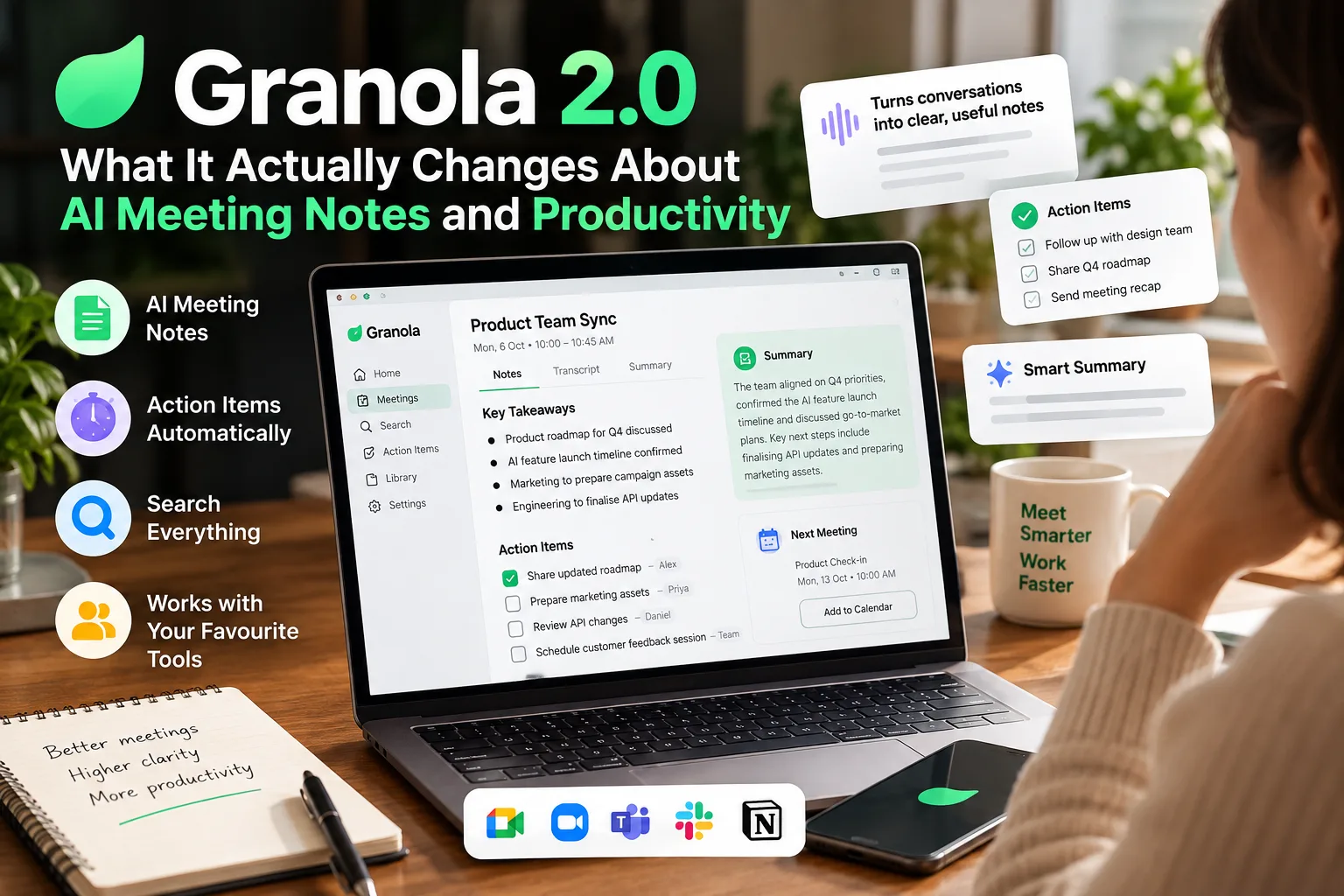
Most productivity software fails in the gap between capturing something and recalling it. You can record, transcribe and store every call and still walk into the next conversation without the context you need. Granola 2.0 AI is an attempt to close that gap, and the way it goes about it says something about where workplace AI is heading.
This is not a hands-on review, and it doesn’t pretend to be one. It is an editorial look at what Granola 2.0 AI is, what it does, how it fits developer and team workflows, and where its limits are. The name needs some untangling first.
The problem with most AI meeting notes
Most AI meeting tools treat transcription as the goal. The transcript becomes the artefact: the thing you search, export to a document system and never open again. Anyone who has used one knows the pattern. A wall of text, a few bullet summaries that miss the nuance, and action items that were either invented or ignored.
Transcription accuracy has improved a lot. Current models cope with accents, overlapping speech and domain vocabulary far better than they did even two years ago. But accuracy was never the hard problem. Context is.
A transcript tells you what was said. It doesn’t tell you why it mattered, which decisions were actually made, which suggestions were rejected, or which statements need checking before they go into a report. A transcript is raw material. A useful meeting note is structured output.
That distinction shapes how you build meeting software. Optimise for transcription and you get a better recorder. Optimise for structured understanding and you get something closer to a knowledge system. Granola 2.0 AI sits in the second camp, which is the most interesting thing about it.
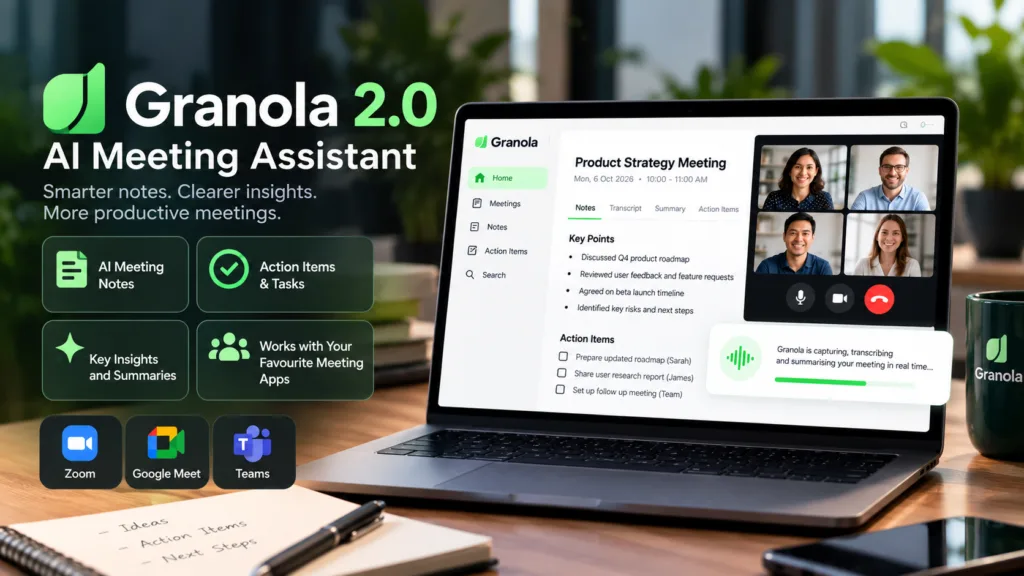
So, what is Granola 2.0 AI?
First, the name. People use “Granola 2.0 AI” to mean the second major version of Granola, the AI notepad from the London company of the same name. Granola is the product, and Granola 2.0 is the version released in May 2025. The “AI” isn’t a separate product or model. It refers to the AI features built into the app.
Christopher Pedregal and Sam Stephenson founded Granola in London in 2022. Pedregal had sold an education technology company, Socratic, to Google in 2018, and Stephenson brought product design experience from the British startup scene. Granola launched publicly in 2024. Version 2.0 arrived in May 2025 alongside a $43 million Series B led by NFDG. By March 2026 the company had raised a further $125 million at a reported $1.5 billion valuation, a sign of growing enterprise interest in meeting intelligence tools.
The core idea: capture less, understand more
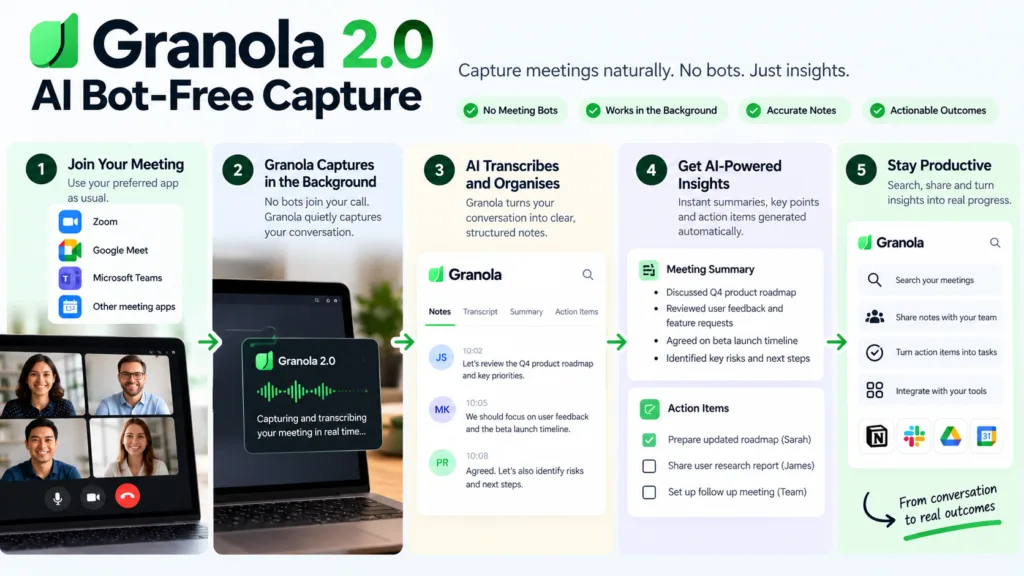
Granola takes a different route from Otter, Fireflies and Fathom. Those tools send a bot into the meeting or join as a participant. Granola works at the device level, capturing system audio and microphone input from your computer. That covers Zoom, Google Meet, Microsoft Teams, WebEx, Slack Huddles and essentially any application that plays audio on your machine. No bot shows up in the participant list, and no organiser has to approve an integration. Nobody but you can see the capture.
The bot-free design is more than a technical detail. It changes the social dynamic of a meeting, since people behave differently when they know a bot is recording. Transparency still matters, though. Granola can post a message in the meeting chat when transcription starts, which is a reasonable compromise between invisibility and consent.
The second half of the approach matters more for workflow. You still take your own notes during the meeting: rough notes, fragments, whatever helps you think. Afterwards Granola enhances them using the transcript as context. It doesn’t replace your notes. A rough bullet about pricing becomes a structured paragraph that reflects what was said about pricing. A note that says “Sarah seems worried about timeline” becomes a precise summary of the concerns Sarah raised, with inline citations to the relevant transcript lines.
Granola 2.0 widened this from a personal notepad into a team workspace. The release added shared team folders, chat across whole folders of meetings, shareable URLs that work for people without Granola accounts, Slack auto-posting, support for reasoning models from multiple providers, and a browse view of public folders. Together they move the product from personal productivity tool toward team knowledge infrastructure.
Granola 2.0 AI conceptual architecture (not proprietary source code):

meeting_audio (device-level capture)
    ↓
real-time transcription (multiple model providers)
    ↓
user's rough notes + transcript context
    ↓
AI enhancement (structured notes, summaries, action items)
    ↓
human review and editing
    ↓
shared folder → team knowledge → downstream workflows
Developer Note
What stands out to a developer isn’t the transcription engine. It’s the context layer. The product treats the transcript as a retrieval source rather than the final output. That is a different data model from traditional meeting recorders, and it’s what makes cross-meeting queries possible.
Granola 2.0 AI vs traditional meeting transcription
The comparison isn’t about who transcribes better. It’s about what each tool produces and what you can do with it afterwards. Traditional transcription tools produce transcripts, AI meeting assistants produce summaries, and Granola 2.0 AI produces structured, editable notes inside a searchable team knowledge system.
Granola 2.0 AI vs Traditional Meeting Tools
A closer look at how Granola 2.0 changes the way meeting notes are captured, enhanced and used.
| Aspect | Traditional transcription | AI meeting assistant (typical) | Granola 2.0 AI approach |
|---|---|---|---|
| Primary output | Raw transcript | AI-generated summary | Enhanced user notes with transcript context |
| User involvement | None during meeting | None during meeting | User takes rough notes; AI enhances them |
| Meeting presence | Bot or manual recording | Bot joins the call | Device-level capture, no bot |
| Context handling | Linear transcript | Prompted summary | Structured notes with inline citations |
| Cross-meeting capability | Manual search | Limited or none | Chat across folders with source linking |
| Team collaboration | Shared files | Shared summaries | Shared folders, URLs, Slack auto-posting |
| Human review | Always required | Often skipped | Built into the workflow |
| Data model | Text file | Summary document | Structured notes + transcript + metadata |
The last row matters most technically. Granola’s data model keeps the transcript accessible but treats the notes as the primary artefact, with the transcript as a source they cite. That is closer to how a human research system works, and it’s why cross-meeting queries can return answers with source-linked citations instead of vague summaries.
How the Granola 2.0 AI workflow fits together
The workflow runs in sequence but isn’t rigid. You can skip stages, go back, edit, or ignore the AI altogether. Knowing the intended flow still helps show where the product’s value sits.
How Granola 2.0 AI Turns Meetings Into Useful Notes
Granola combines your own notes with meeting context to create a structured, searchable workflow without sending a meeting bot into the call.
Meeting
You join a call on any platform. Granola captures device audio. No bot joins the meeting.
Audio and context
System audio and microphone input are transcribed in real time. You type rough notes as you listen.
AI processing
After the meeting, Granola enhances your notes using the transcript as context. It identifies decisions, action items and unresolved questions.
Structured notes
You get a formatted document that combines your thinking with the substance of the meeting, complete with inline citations.
Actions
Action items are extracted. Owners, dependencies and deadlines can be identified through prompts or recipes.
Human review
You verify, edit and approve. If you skip this stage, accuracy can suffer, especially when decisions depend on subtle context.
Knowledge and workflow
Notes go into shared folders, Slack channels, Notion databases, CRM records or Zapier-triggered automations.
The human review stage is where Granola differs from tools that simply dump AI-generated notes into your inbox. Your notes remain part of the process, while AI helps turn them into something more useful.
The review stage is where Granola differs from tools that dump AI-generated notes into your inbox. Because your own rough notes are part of the input, you have an anchor for checking the output. You know what you were thinking during the meeting, and the AI’s job is to fill gaps, not replace your judgement.
The developer’s view of Granola 2.0 AI
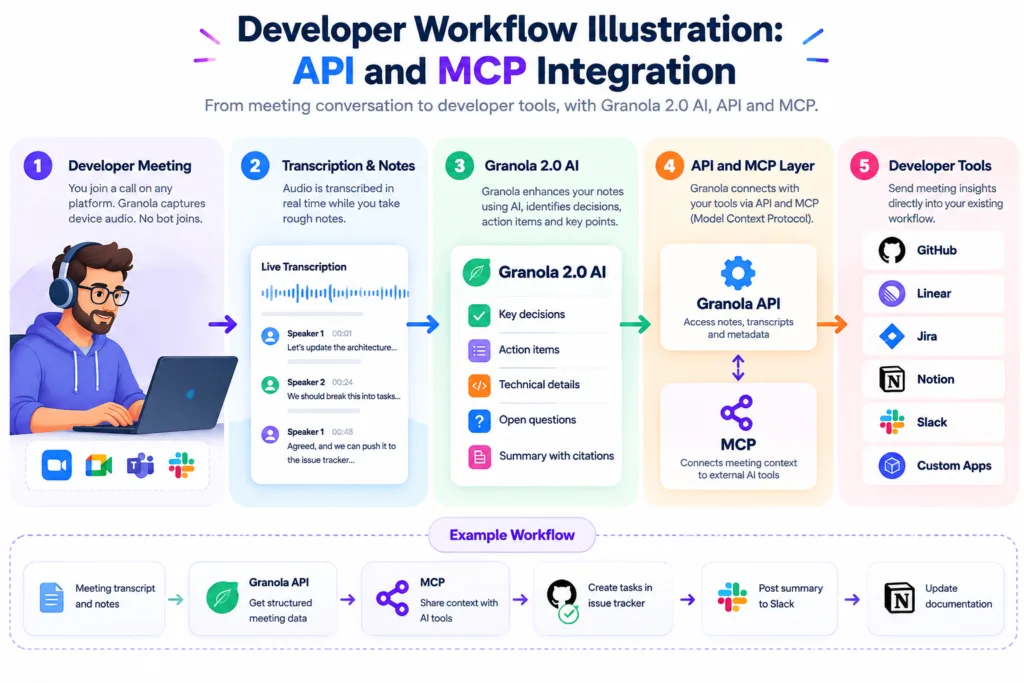
Developers usually judge productivity tools by a handful of questions. Does it produce structured data? Can I query it programmatically? Does it fit my existing pipelines? Can I automate the parts that should be automated and keep human judgement where it’s needed?
Granola 2.0 AI answers those reasonably well, with caveats for anyone building on top of it. The Enterprise API gives programmatic access to meeting notes, transcripts and AI summaries. It uses API key authentication with a grn_ prefix, and the published rate limits are 5 requests per second sustained with a burst capacity of 25. Limits apply per workspace rather than per user, which matters for teams planning automation around the API.
The MCP integration is arguably more interesting for individual developers. Model Context Protocol lets tools like Claude, ChatGPT and Cursor connect directly to your Granola account. Once connected, your AI assistant can search your meeting history by topic, person, company or timeframe and cite specific conversations in its answers. Authentication uses OAuth 2.0 with read-only access, a sensible posture for a connector that exposes meeting data to external AI systems.
# Conceptual workflow: meeting context to actionable engineering tasks
# This is a workflow illustration, not Granola's proprietary code

meeting_notes = granola.get_meeting(note_id)
transcript_context = granola.get_transcript(note_id)

decision_points = extract_decisions(meeting_notes, transcript_context)
engineering_tasks = convert_to_tasks(decision_points)
dependencies = map_dependencies(engineering_tasks)

for task in engineering_tasks:
    assign_owner(task)
    if task.requires_verification:
        flag_for_human_review(task)
    else:
        push_to_project_board(task)
If you work with Cursor AI or GitHub Copilot AI, the MCP connection lets meeting context flow into your coding environment. You finish a planning meeting, the notes are structured, and your coding assistant can reference the decisions made there while you work. It’s a useful integration pattern, though it needs the paid Business or Enterprise plan.
The Zapier integration goes further. Granola notes can trigger actions across 8,000+ applications: a note added to a specific folder can create a GitHub issue, send a Slack notification, update a Notion page or start a sequence in a project management tool. Zapier AI and n8n AI then act as the orchestration layer that turns meeting intelligence into automated workflow.
The developer question is whether meeting intelligence belongs in the coding workflow or in the project management layer. Granola 2.0 AI supports both. MCP is more direct for developers who live in the terminal, and the API suits teams building shared automation infrastructure.
Where Granola 2.0 AI fits in a modern AI stack
Meeting intelligence is one layer of a broader AI productivity stack, sitting between capture and action. It takes conversational input and produces structured output that other systems can use. Knowing where it sits clarifies what to expect from it.
From Meeting Capture to Organisational Knowledge
Meeting intelligence becomes more valuable when each layer connects the conversation to search, reasoning, automation and long-term knowledge.
| Layer | Example category | What it does | How meeting intelligence fits |
|---|---|---|---|
| Capture | Meeting recording, transcription | Turns spoken conversation into text | Granola captures device audio and transcribes in real time. |
| Enhancement | AI note-taking, summarisation | Structures and improves raw text | Granola enhances user notes with transcript context. |
| Retrieval | AI search, knowledge management | Makes stored information queryable | Chat with folders queries across multiple meetings with citations. |
| Reasoning | AI assistants, Perplexity AI , Complete ChatGPT Guide for Beginners | Analyses information and generates insight | Granola MCP connects meeting history to external AI reasoning tools. |
| Action | Automation, task management | Turns insight into execution | Zapier and native integrations trigger downstream workflows. |
| Knowledge | Wikis, databases, Notion AI | Long-term organisational memory | Meeting notes become searchable team knowledge in shared folders. |
Meeting intelligence doesn’t replace any of these layers. It bridges them, turning the unstructured output of conversation into structured input for reasoning, automation and knowledge systems. For anyone building an AI productivity workflow, that bridge is often the missing piece. For a wider view of how the layers connect, see The Ultimate Guide to AI Tools.
Granola 2.0 AI and the end of “just transcribe everything”
Meeting software is shifting away from exhaustive capture and toward extraction, and Granola 2.0 AI is one of the clearer examples. Rather than keeping everything and searching it later, the better approach is to pull out what matters, structure it properly and let the rest go.
There’s a practical reason. Context windows are finite, and a 90-minute meeting can produce a transcript of tens of thousands of tokens. Pushing the whole thing into a language model and asking for a summary tends to give worse results than handing it a curated set of notes to enhance. Long inputs can degrade output quality, so a structured, selective input generally beats an exhaustive one.
Granola’s approach reflects this. The transcript is there for retrieval, but the main input to the enhancement layer is your own notes. They work as a relevance filter, telling the model what mattered enough for you to write down. The transcript supplies the supporting detail and the citations. That makes better use of both the model’s attention and your review time.
You don’t need to remember everything. You need to remember what matters and be able to check the rest.
The wider AI meeting assistant market is heading the same way. Tools that once competed on transcription accuracy now compete on summary quality, action extraction and workflow integration. Granola 2.0 AI isn’t alone in this, but blending user notes with AI enhancement gives it a distinct position. It’s closer to a thinking tool than a recording tool.
What developers should look at before adopting it
Practical questions matter more than feature lists before you commit to any meeting tool. This checklist covers the areas that tend to surface after the trial ends and real workflows begin.
What to Check Before Choosing an AI Meeting Assistant
The most useful evaluation goes beyond features. Data handling, accuracy, integrations, workflow fit and pricing can all affect whether a meeting assistant works well in practice.
| Area | What to check | Why it matters | Granola 2.0 AI |
|---|---|---|---|
| Data handling | Where is data stored? Is audio retained? How long are notes kept? | Data retention affects privacy, security and whether old meeting recordings remain available for playback. | Granola deletes audio after transcription and does not store recordings, which limits playback options but reduces data retention risk. |
| Privacy | SOC 2, GDPR, data residency, AI training opt-out | Strong privacy controls matter when meeting notes contain confidential business or personal information. | Granola holds SOC 2 Type II and GDPR compliance. Enterprise plans include organisation-wide AI training opt-out. |
| Accuracy | How does it handle accents, overlapping speech, technical vocabulary? | Transcription accuracy varies by language and domain. Speaker inference is not perfect and requires manual correction. | Accuracy should still be checked manually, particularly for specialist terminology, accents and overlapping conversations. |
| Editing | Can you correct AI-generated notes? Is the transcript editable? | Easy editing is important when meeting notes contain names, decisions or details that need human correction. | Granola allows note editing and name correction. The transcript is accessible but not designed for manual editing. |
| Context quality | How well does it use your notes to enhance output? | AI enhancement is heavily influenced by the quality and detail of the notes provided by the user. | The quality of AI enhancement depends heavily on the quality of your rough notes. Sparse notes can produce more generic output. |
| Integrations | Which tools does it connect to natively? What needs Zapier? | Integrations determine whether meeting intelligence can flow directly into the tools your team already uses. | Native integrations include Slack, Notion, HubSpot, Affinity and Attio. Other workflows can use Zapier or the API. |
| Export options | Can you get your data out? In what format? | Export and API access become important if your meeting data needs to move into other systems or applications. | API access requires Business or Enterprise. Free plan history is limited to 30 days in the app. |
| Workflow compatibility | Does it fit your existing tools and processes? | A tool that forces you to change your whole workflow can struggle with adoption, however good its features are. | The strongest results come when Granola fits naturally into your existing meeting, note-taking and collaboration workflow. |
| Team adoption | Can non-technical team members use it effectively? | Simple sharing and collaboration reduce the barrier for teammates who do not use the tool directly. | Shared folders and shareable URLs lower the barrier for teammates without Granola accounts. |
| Pricing and value | What does the free plan include? Where are the paywalls? | Pricing limits can determine whether the tool remains useful as meeting volume and team size increase. | Free plan has unlimited meetings but 30-day history. Business is $14/user/month. Enterprise starts at $35/user/month. |
Pricing deserves particular attention because it shapes adoption. The free plan is genuinely usable for individuals who don’t need long-term history. Business at $14 per user per month unlocks unlimited history, all integrations and API access. Enterprise adds SSO, HIPAA-compliant workspaces, SCIM and an audit API. For a team, the decision usually comes down to whether shared folders and integrations justify the per-seat cost.
The free plan’s 30-day history limit is the biggest constraint for individual users. If you need to look back at a meeting from two months ago, you’ll need a paid plan. That’s normal for freemium AI tools, but check it before building a workflow around the free tier.
Granola 2.0 AI for different types of work
Granola isn’t officially marketed to every role, but capturing conversation, structuring notes and extracting actions applies to many kinds of work. The scenarios below are potential use cases based on documented capabilities, not claims about official target audiences.
How Different Teams Can Use Granola 2.0 AI
Meeting intelligence becomes more useful when it is connected to the real workflow of each role, from technical decisions and research to sales, marketing and study sessions.
| Role | Workflow problem | Potential AI workflow | Human review needed |
|---|---|---|---|
| Developer | Architecture discussions get lost in Slack threads. |
AI WORKFLOW Capture design decisions, extract technical tasks and push them to an issue tracker via Zapier. |
HUMAN CHECK Verify task descriptions and dependencies before assigning. |
| Product manager | User research calls produce scattered insights. |
AI WORKFLOW Organise research notes in shared folders and query across interviews to identify recurring patterns. |
HUMAN CHECK Confirm feature requests are accurately represented. |
| Founder | Investor and customer conversations blur together. |
AI WORKFLOW Separate folders for fundraising and customer calls, then cross-reference conversations for diligence. |
HUMAN CHECK Review commitments and financial figures before sharing. |
| Marketing team | Campaign feedback is spread across multiple meetings. |
AI WORKFLOW Use a shared folder for campaign reviews and automatically post summaries to Slack. |
HUMAN CHECK Check that creative feedback has not been over-simplified. |
| Sales team | CRM updates are manual and inconsistent. |
AI WORKFLOW Native HubSpot integration pushes call notes to the right deal. |
HUMAN CHECK Verify deal stage and next steps before CRM sync. |
| Researcher | Interview transcripts are too long to analyse manually. |
AI WORKFLOW Chat with a folder to extract themes and cite specific interview moments. |
HUMAN CHECK Validate themes against the original source material. |
| Consultant | Client context is scattered across engagements. |
AI WORKFLOW Create dedicated client folders with searchable history and shareable URLs. |
HUMAN CHECK Ensure client confidentiality boundaries are respected. |
| Student | Lecture notes and study group discussions are disconnected. |
AI WORKFLOW Capture lectures, enhance notes and query across sessions for exam revision. |
HUMAN CHECK Verify that AI summaries accurately reflect the lecture content. |
Granola is most useful when meeting capture is only the beginning. The bigger opportunity is connecting meeting information to the tools, decisions and workflows people already use.
Granola 2.0 AI in a real AI workflow
Abstract workflows explain concepts. A concrete timeline shows what adoption feels like. Here is how a developer’s day might include meeting intelligence, based on documented product capabilities.
09:30 Sprint planning. Granola captures the call. You type brief notes: “auth refactor blocked by API rate limits,” “Sarah to investigate caching layer,” “need to revisit deployment pipeline.”
10:15 The meeting ends. Granola has already enhanced your notes with transcript context. The auth refactor item now includes the rate limit figures mentioned, Sarah’s action item carries the scope she agreed to, and the deployment pipeline concern links to the relevant part of the transcript.
10:20 You review the enhanced notes, correct one speaker attribution and remove a suggestion that was discussed but not agreed. The review takes about four minutes.
10:30 You run a recipe: “Extract engineering tasks with owner and dependency.” The output is a structured list, which you paste into your project management tool. One task is flagged for clarification because the transcript shows the requirements were left open.
11:00 You ask Granola Chat: “What did we decide about the caching layer in the last three sprint planning meetings?” The answer cites specific meetings and quotes the relevant transcript lines. Assembling that context by scrolling would have taken about twenty minutes.
12:00 You message Sarah about the task and link the relevant transcript, so she can read the exact discussion instead of your summary from memory.
This isn’t far from what a diligent human note-taker would do. The difference is speed and consistency. The AI handles structuring, citation and retrieval, and you handle judgement, verification and communication. That split is where the value is.
The prompt layer: getting more useful output from meeting context
Granola has a feature called Recipes: saved prompts you can run against individual meetings or whole folders. They are reusable instructions for how the AI should process meeting content. The prompts below show the kind of instruction that produces useful structured output from meeting context. They aren’t official Granola recipes.
Useful Prompts for Turning Meetings Into Action
These prompts show how Granola can move beyond simple summaries and help extract decisions, actions, gaps, comparisons and follow-up work.
Decision Extraction
“Extract only decisions made during this meeting. Ignore discussion that did not result in a decision.”
Action Structuring
“Turn the action items into a table with owner, deadline, dependency and next step.”
Gap Identification
“Find unresolved questions from this meeting and explain what information is missing.”
Executive Summary
“Write a five-sentence executive summary without removing important caveats.”
Cross-Meeting Comparison
“Compare today’s decisions with the previous meeting notes in this folder.”
Verification Flagging
“Identify statements that should be fact-checked before being used in a report.”
Task Conversion
“Convert the engineering discussion into implementation tasks with clear acceptance criteria.”
Follow-Up Drafting
“Create a follow-up email that is concise, factual and does not invent commitments.”
Risk Identification
“List the risks, assumptions and dependencies mentioned during this meeting and explain their impact.”
Meeting Preparation
“Review the previous notes and create a short list of topics that should be addressed in the next meeting.”
The strongest results usually come from giving the AI a specific job, a clear output format and boundaries around what it should not assume.
A well-crafted prompt doesn’t make the AI smarter. It makes the output more useful by constraining it. The best meeting prompts are specific about format, explicit about what to exclude, and clear about the standard of evidence required.
# Conceptual prompt pattern for developer workflows:
# This is an illustration, not Granola source code

recipe "sprint_tasks":
    input: meeting_notes, transcript
    instruction: |
        Extract only actionable engineering tasks.
        For each task include:
        - description (one sentence)
        - suggested owner (from transcript)
        - dependency (if mentioned)
        - confidence level (high/medium/low)
    exclude: suggestions that were not agreed
    flag: tasks with insufficient detail for estimation
    output_format: markdown_table
Granola 2.0 AI and the bigger AI productivity shift
Workplace AI is moving from chatbots to assistants to agents to workflow systems, with each stage adding autonomy and integration. Chatbots respond to prompts, assistants keep context, agents take actions, and workflow systems build AI into how work gets done.
Granola 2.0 AI sits between assistant and workflow system. It keeps context across meetings and makes it available to other tools, but it doesn’t act on its own the way an independent agent would. You stay in the loop throughout: you start the recording, take notes, review the output and decide what happens next.
For meeting intelligence, that’s the right design. Meetings carry nuance, politics and unspoken context that AI can’t reliably read. An agent that sends follow-up emails automatically from meeting notes would be dangerous, while an assistant that drafts one for your review is useful. Granola is on the useful side of that line.
Other tools in the ecosystem are more autonomous. Replit AI can generate and deploy applications, GitHub Copilot AI suggests code in real time, and Claude Fable 5.1 and similar models can reason through complex problems. Meeting intelligence sits alongside them and gives them context.
Limitations that matter more than marketing
The limitations that matter most usually aren’t in the marketing material. These are the ones to weigh before using Granola 2.0 AI for serious work.
AI hallucinations
Language models can produce plausible but wrong content. If your rough notes are sparse, the AI may fill the gaps with inferences that sound authoritative but that the transcript doesn’t support. Inline citations help because you can jump to the source, but only if you actually check. A citation pointing at a vague statement doesn’t confirm a specific claim.
Transcription mistakes
No transcription system is perfect. Accents, overlapping speech, jargon and poor audio all hurt accuracy. Granola’s speaker inference is generally competent but not flawless. If a name is misattributed in the transcript, the enhanced notes carry the error forward until you correct it. Correcting it is straightforward but manual.
Summaries losing nuance
Summarising is compression, and compression loses things. A heated debate where two positions were explored and one was tentatively accepted can end up as a decision that was never actually made. Caveats, conditions and unresolved concerns tend to go first. That’s why human review matters, and why prompts that ask the AI to preserve uncertainty give better results.
Sensitive meeting information
Meeting notes often hold information that shouldn’t travel. Compensation, legal matters, personnel issues and strategy all have distribution limits. Shared folders and Slack auto-posting are powerful but need discipline. A folder that auto-posts to a public Slack channel is a data governance risk if the wrong meeting lands in it.
Over-reliance on AI-generated notes
Convenient AI notes can breed dependency. If you stop thinking about what matters during the meeting because you trust the AI to catch it, your notes get worse. Granola’s design helps by requiring rough notes, but the temptation to coast is real. The tool works best when you engage with it instead of delegating to it.
Privacy and consent
Granola captures device audio, which raises consent questions. In some jurisdictions, recording conversations without explicit consent is legally problematic. Granola can post a notice in the meeting chat when transcription begins, but you have to enable that setting. Responsibility for ethical capture sits with the user, not the tool.
Integration limitations
Native integrations cover Slack, Notion, HubSpot, Affinity and Attio. Anything else needs Zapier or the Enterprise API. That isn’t fatal, but teams with complex tool stacks may need to build middleware. The API is available on Business and Enterprise plans, not the free tier.
Granola 2.0 AI vs the rest of the AI productivity stack
Granola doesn’t exist in isolation. It sits alongside AI tools that handle other parts of the productivity workflow, and seeing how they relate shows where meeting intelligence adds value and where other tools fit better.
Where Meeting Intelligence Fits in the AI Stack
Meeting data becomes more valuable when it can flow into search, writing, coding, automation, knowledge management and media workflows.
| Category | Representative tools | Primary function | Relationship to meeting intelligence |
|---|---|---|---|
| Meeting notes | Granola 2.0 AI, Otter, Fireflies, Fathom |
CORE LAYER Capture and structure conversations |
Core function. Granola differentiates through bot-free capture and note enhancement. |
| AI search | Perplexity AI , Google Gemini Explained | Retrieve and reason over information | Meeting context can be supplied to search tools via MCP for more grounded answers. |
| AI browser assistants | AI Browser Assistants , Microsoft Copilot | Assist with web-based tasks | Meeting notes can be referenced while browsing, researching or completing web-based work. |
| AI writing | Jasper AI , Notion AI | Generate and improve written content | Meeting notes provide source material for reports, briefs and documentation. |
| AI coding | Cursor AI , GitHub Copilot AI , Replit AI | Assist with software development | Meeting context can inform coding tasks through MCP and API integrations. |
| AI automation | Zapier AI , n8n AI | Connect and automate workflows | Meeting notes can become triggers for automated downstream actions. |
| Knowledge management | Notion AI , wikis, databases | Store and organise organisational knowledge | Meeting notes can feed into knowledge bases through native integrations. |
| Media generation | Runway AI , Synthesia AI , ElevenLabs AI | Generate video, audio and images | Meeting intelligence is separate but can inform media production briefs and creative workflows. |
Granola does not need to replace every AI tool in the stack. Its value is in making meeting context available to the systems teams already use for searching, writing, coding, automation and organisational knowledge.
Media generation tools like Higgsfield AI, Midjourney AI, Flux AI and Seedance 2.0 are a different category. They aren’t meeting intelligence tools and shouldn’t be confused with Granola 2.0 AI, even though they share the wider AI ecosystem.
The technical question: where does the context come from?
Context is the defining technical challenge in meeting intelligence. Without it, a transcript is just words. With it, the transcript becomes a source of structured understanding. The question is where the context comes from and how it’s assembled.
In Granola 2.0 AI it comes from five sources: the audio itself, transcribed in real time; your rough notes, which signal relevance; meeting metadata such as participants, time and calendar association where applicable; the folder structure, which groups related meetings and adds thematic context; and integrations, which can supply data from connected tools.
The combination is what makes the product useful. The transcript is the raw material, your notes are the filter, the folder adds organisational context, and the AI enhancement layer weaves them into a structured output that reflects both what was said and what mattered.
Context assembly model (conceptual):
    transcript (what was said)
  + user_notes (what mattered)
  + metadata (who, when, where)
  + folder_context (related meetings)
  + integrations (connected data)
  = enhanced_notes (structured output)
This has implications for how you use the tool. Output quality depends heavily on input quality. If you type nothing during a meeting, the AI has only the transcript to work with. It will write a competent summary but not the personalised, context-rich note that comes from blending your thinking with the conversation. The tool rewards engagement.
From an information retrieval angle, Granola’s model is closer to a retrieval-augmented generation system than a simple summariser. The transcript is the retrieval corpus, your notes are the query signal, and the enhancement is the generation step. That should set your expectations: a better query gets you better output.
What I would watch as Granola 2.0 AI evolves
These themes are worth monitoring as the product develops. They are industry directions and possibilities, not predictions or confirmed roadmap items.
Better context windows
As language models support longer context windows, the balance between transcript and user notes may shift. At some point a model might process a whole meeting transcript alongside your notes without degradation, which could improve enhancement quality considerably. The trade-off is cost and latency, and both matter for a tool meant to deliver notes almost instantly after a meeting.
Stronger meeting memory
Cross-meeting intelligence is one of the more compelling features in Granola 2.0. Querying across folders and getting citations to specific moments in specific meetings is genuinely useful, and as the system accumulates data those queries should improve. The challenge is keeping accuracy as the corpus grows, since retrieval systems can struggle with relevance on large datasets.
Agentic follow-up
Industry momentum is building behind AI agents that act on meeting outcomes. Granola stops short of that, for good reason: unreviewed automated follow-up emails or CRM updates carry real risk. A likelier direction is agentic assistance, where the AI proposes actions, a human approves them and the system executes. The distinction is subtle but important.
Knowledge graphs
Meeting notes are full of entities: people, projects, decisions, dependencies. A knowledge graph linking them across meetings could support richer queries. Instead of asking “what did we decide about X,” you could ask how project X relates to the concerns Sarah raised over the last three months. It’s technically feasible but needs significant infrastructure investment.
Personalised workflows
Every team works differently, and a generic meeting tool will always fit worse than one that adapts. Expect more customisation around templates, recipes and automation triggers. Recipes already point that way, and a more advanced version might learn from your editing patterns and adjust its output accordingly.
Granola 2.0 AI as a context layer
The most useful way to think about Granola 2.0 AI is as a context layer rather than a meeting notes app. It sits between the conversations your team has and the work your team does. It takes unstructured conversation, combines it with human input and produces structured output that other systems can use.
That clarifies both the product’s strengths and its boundaries. Granola isn’t a project management tool, a CRM, a knowledge base or an automation platform. It feeds those systems the context they need. A CRM without meeting context is a database of names, a project board without decision context is a list of tasks, and a knowledge base without source material is an empty wiki.
The chart below shows the relative emphasis of different stages in a typical AI meeting workflow. It’s a conceptual model, not a benchmark of Granola’s performance.
Illustrative AI Meeting Workflow
Relative emphasis of workflow stages in a modern meeting intelligence system.
Capture alone isn’t the hard part, because capture is largely solved. The real work is in context, processing and review. Granola 2.0 AI invests heavily in the context and processing layers and designs explicitly for human review, which suggests the product team understands this.
The question to ask of any meeting intelligence tool isn’t whether it can transcribe your meeting. That was answered years ago. The better question is whether it helps you turn conversation into useful work without losing human judgement. Granola 2.0 AI makes a credible attempt. It keeps the human in the loop, doesn’t pretend AI-generated notes are as good as notes you wrote yourself, and offers a transparent workflow that handles the mechanical work of capture, structuring and retrieval.
Whether that approach scales to every team is an open question. The tool is opinionated: it assumes you take notes, review the output and care about citations and source links. Teams that value those things will find it useful. Teams that want a fully hands-off recorder may find it asks for more engagement than they’d like. That is a design choice rather than a flaw, and it fits where workplace AI is heading, toward systems that amplify human judgement instead of replacing it.
For developers, product managers and knowledge workers who already see that a meeting’s value is in its decisions rather than its transcript, Granola 2.0 AI is worth a look. It isn’t the only tool in its category and it has limitations, but it takes a coherent approach to a problem most tools only partly solve: turning conversation into context that helps you do better work.
Related reading: AI in SEO, How AI Tools Work, Best AI Tools for Students, Best Amazon AI Tools, Amazon Bedrock, Continua AI, Shoomble AI, Claude Fable 5.1, Microduck Robot AI, Makiverse AI, Muse Spark 1.3 AI, Jev AI, Generative AI in Supply Chain Management, and Canva AI.