

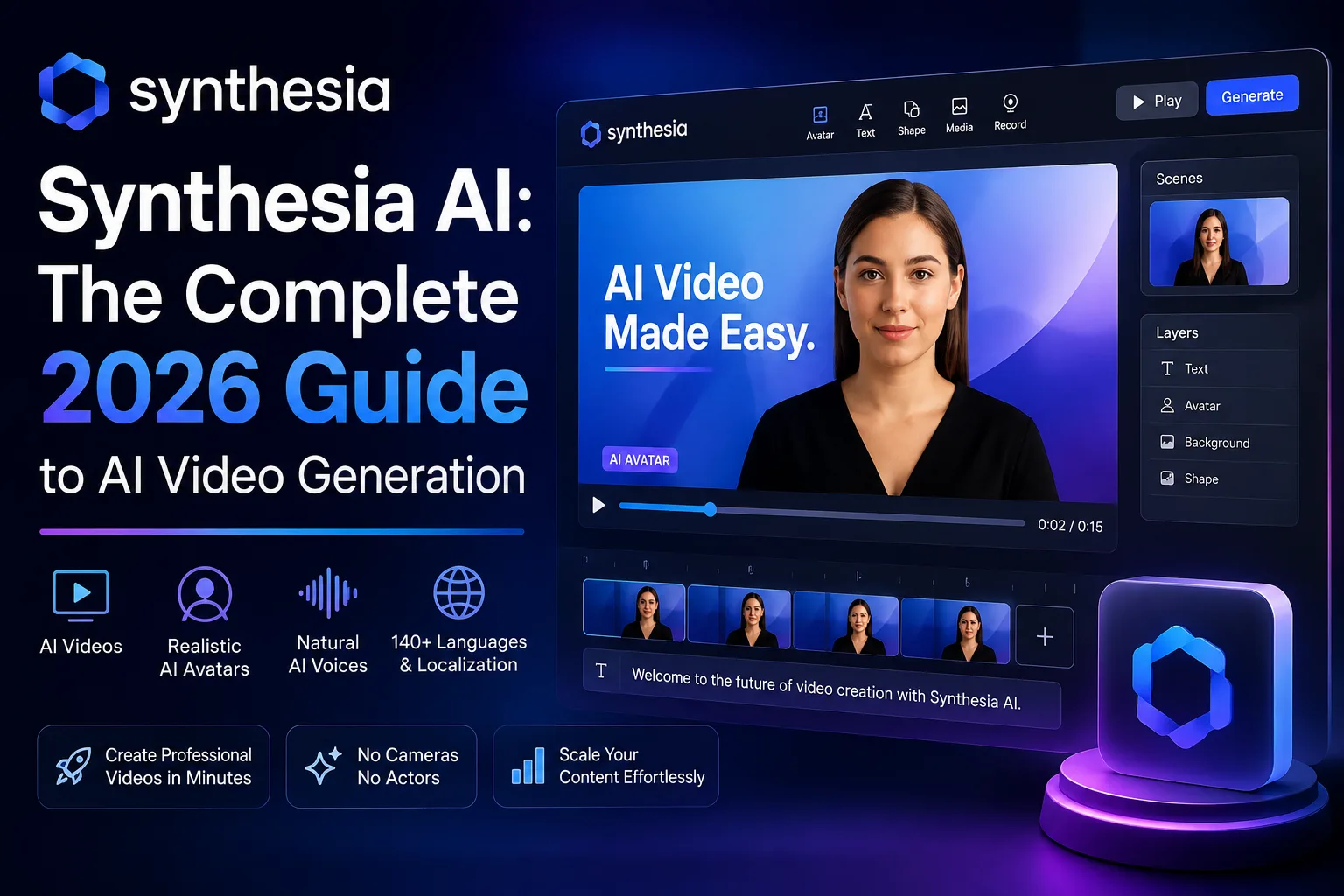
Creating professional video content used to demand cameras, lighting rigs, microphones, and hours of editing. That has been changing fast over the last two years. Today, a fully produced talking-head video can be made inside a browser in less time than it takes to set up a tripod. Synthesia AI is at the center of that shift. Knowing what it does well, and where it fits among other AI tools, helps teams decide whether it actually belongs in their content stack.
Synthesia is an AI video generation platform built around photorealistic digital avatars. You type a script, choose a presenter, and the platform generates a video where that avatar speaks your words with synced lip movement and natural intonation. It is not a generative video model that invents scenes from a text prompt. It is closer to a virtual studio, built for business communication and training at scale. It makes more sense as one piece of a wider AI toolset than as a replacement for every creative application.
The shift from experimental AI chatbots to embedded, task-specific interfaces has been rapid. AI video creation is part of a wider change in how people work with software, from conversational tools to browser-based AI assistants that can pull information from across the web. Once an assistant can retrieve data or draft a document without leaving the browser, generating a training video from plain text stops feeling futuristic and starts feeling like the next logical step.
What Is Synthesia AI and Who Is It For?
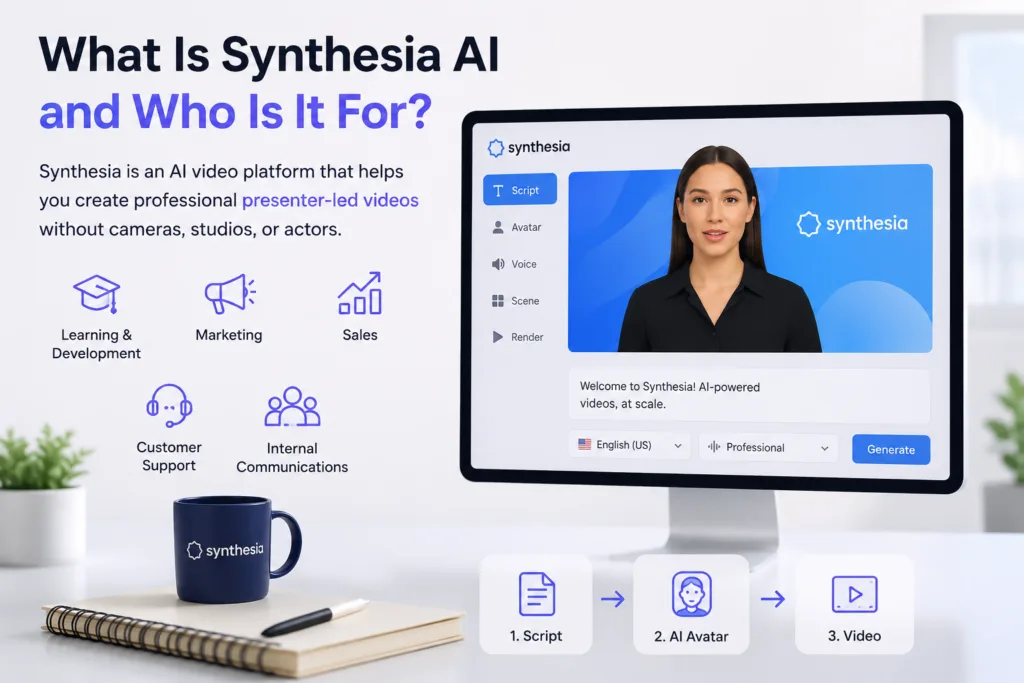
Synthesia belongs to a category of AI tools that put communication ahead of spectacle. It is not about generating surreal cinematic sequences. Instead, it solves a practical problem: how do you produce a lot of presenter-led video without repeatedly booking a human presenter or renting a studio? Learning and development teams were among the earliest adopters, but the user base now spans marketing, sales, customer support, and internal communications.
It helps to know how AI tools work rather than judging them only by their interface. Synthesia’s output looks smooth, but the real work happens in the pipeline: script ingestion, avatar mapping, text-to-speech synthesis, and rendering, all stitched together so the user never touches a timeline. It hides that complexity without taking away control, which few AI video products manage well.
How Synthesia Works Under the Hood
At the core of Synthesia is a combination of neural text-to-speech, computer vision, and video synthesis technology. When you paste a script into the editor, the platform processes the text, predicts prosody and emphasis, and maps the phonemes onto the chosen avatar’s facial movements. The result is a presenter who appears to speak naturally, with blinking, slight head movement, and hand gestures that match the rhythm of the speech. The rendering happens server-side, which means a finished video can be ready in minutes rather than hours.
The technology stack is impressive, but it is worth separating application-layer AI from infrastructure-layer AI. Synthesia operates at the application layer, unlike infrastructure-focused services such as Amazon Bedrock, where enterprises build and scale their own generative AI models. Both belong to the same growing field of AI capability, but they serve different needs: one gives you a finished product, the other gives you the raw materials to build something custom.
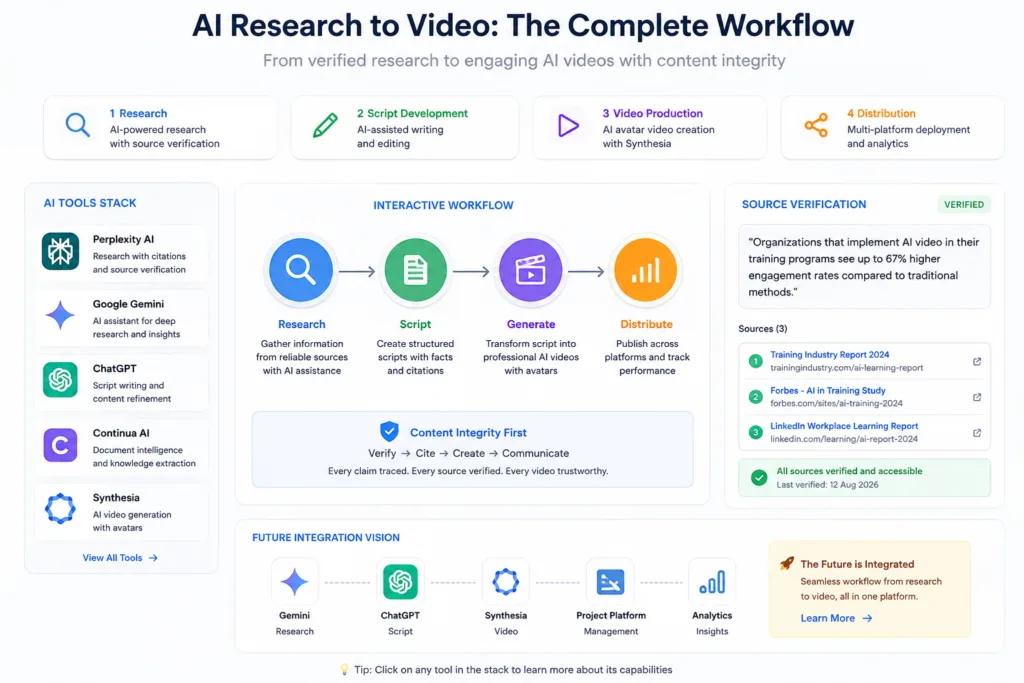
A creator might use Google Gemini or another AI assistant during the research stage, then move the approved script into Synthesia for production. That handoff, from research to script to video, is where the AI content stack starts to feel like one process instead of several disconnected steps.
Creating Your First Synthesia Video: A Practical Workflow
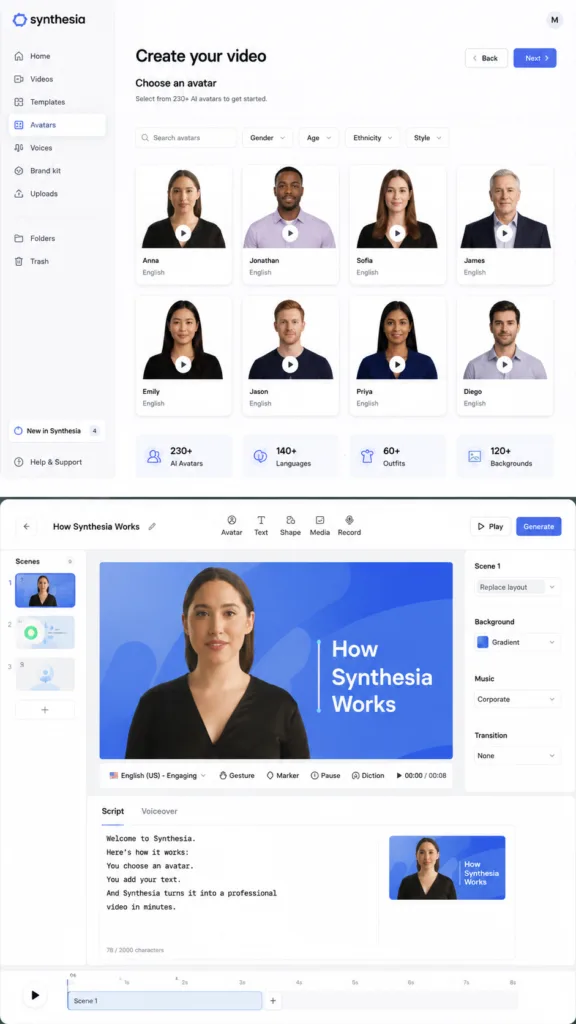
The process inside Synthesia follows a deliberately linear path. You start by picking an avatar from a library of over 230 digital presenters, who vary in ethnicity, age, and clothing style. Next you choose a background: a stock setting, a custom image, or a plain colour. Then you move to the script editor, which is where the real creative work happens, because the script decides whether the final video feels engaging or robotic.
A practical workflow might start with ChatGPT for script writing and brainstorming before moving the finished script into Synthesia. ChatGPT can help outline talking points, draft narration, and suggest transitions, but the final polish should still involve a human editor who understands the audience. AI-generated scripts read well on screen but can feel flat when spoken aloud, so reading the text out loud before pasting it into Synthesia makes a noticeable difference.
Before writing a training script, a team could use Perplexity AI to gather source material and check important claims. When the script includes statistics, compliance information, or product specifications, a research step built on verifiable sources cuts the risk of baking inaccuracies into a video that might get distributed across an entire organisation.
Synthesia AI Prompts: Getting the Best Output from Text-to-Video
Even though Synthesia is not a prompt-to-video platform the way generative AI models are, the idea of prompting still applies. The script field is effectively a prompt box, and the output depends heavily on how the text is structured. Short, declarative sentences work better than long, complex paragraphs. Mark pauses explicitly, and use the built-in phoneme editor to add pronunciation guides for unusual names or technical terms.
Teams that build a repeatable script template see far more consistent results. A typical template might include an attention-grabbing opening line, a few main points, a concrete example or case study, and a clear call to action. That structure works whether the video runs two minutes or ten. It also makes it easier to fit Synthesia into a wider content strategy, particularly when video, written content and modern AI SEO strategies are planned together. A video embedded in a blog post can improve dwell time and search visibility, but only if the surrounding content actually supports it.
Synthesia for Business: Training, Sales, and Internal Communications
Enterprise adoption of Synthesia has grown steadily as companies realise that video communication scales in a way live meetings do not. A single training video can be updated once a year, translated into dozens of languages using the platform’s multi-language avatar support, and distributed globally at no extra production cost. That is a fundamentally different economic model from traditional video production.
In a Microsoft-heavy organisation, Synthesia may sit alongside workplace AI tools such as Microsoft Copilot rather than replace them. Copilot helps employees draft emails, summarise meetings, and analyse spreadsheets. Synthesia helps the same organisation turn policy updates and product training into video that employees can watch on their own time. The tools complement each other, and the most productive teams learn to move between them.
A company could also use a document intelligence platform such as Continua AI to work through internal material before turning approved knowledge into a Synthesia training video. When the source material is a dense PDF manual or a long internal wiki page, a document-focused AI tool can summarise it, pull out the main concepts, and flag anything outdated, which speeds up the script-writing process considerably.
For sellers already experimenting with AI tools for ecommerce, Synthesia can sit further down the workflow as a way to create product education or demonstration videos. An Amazon seller might use AI to optimise listings and analyse competitor pricing, then use Synthesia to produce a short product overview video for the brand’s website or social channels. Pairing AI-optimised copy with AI-generated video builds momentum that is hard to match with manual workflows alone.
Synthesia for Education and Learning
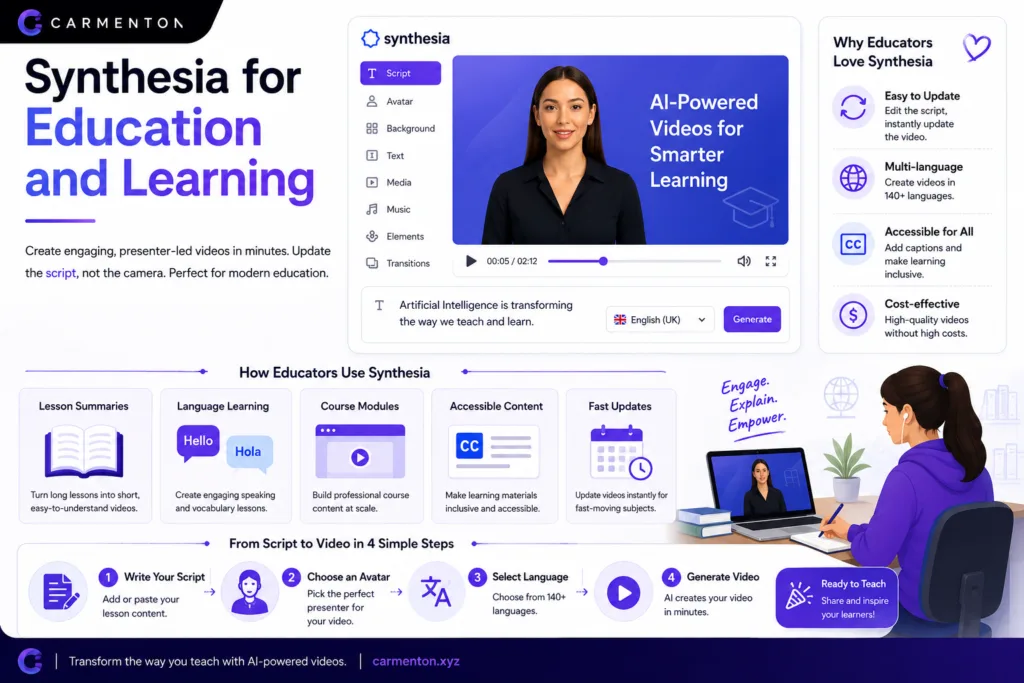
The education sector has been one of the fastest adopters of AI video technology. Educators use Synthesia to create lesson summaries, language learning content, and accessible video versions of written materials. Being able to update a video by editing the script rather than re-filming is especially useful in fast-moving subjects like technology, medicine, and current affairs.
Synthesia can complement the wider collection of AI study tools by turning complex lessons into short presenter-led explanations. While AI flashcard generators, summarisation tools, and quiz builders help students absorb written material, a two-minute Synthesia video can be an engaging introduction to a topic before deeper study begins.
Synthesia for Marketing and Content Creation
Marketing teams have embraced AI video for product demos, customer testimonials, social media snippets, and personalised campaigns. Synthesia fits into marketing workflows by letting teams create video variants at scale: different intros for different audience segments, localised versions for regional markets, and A/B test variations that measure engagement.
When the video needs custom supporting visuals, an image-generation tool can fill the gap. Flux AI and Midjourney AI are useful examples of how the visual side of an AI content workflow can sit alongside an avatar platform such as Synthesia. A marketer might generate a custom background image in Midjourney, upload it into Synthesia as a virtual set, and deliver a branded video that feels bespoke rather than template-driven.
Canva AI can complement Synthesia when a project needs branded graphics, presentation visuals or supporting design assets around the generated video. A typical marketing workflow might involve Canva for thumbnail design and social media templates, Synthesia for the video itself, and a scheduling tool for distribution. Each tool handles one part of the pipeline, and the efficiency gain comes from the smooth handoffs between them.
AI Visual Assets and Creative Workflows
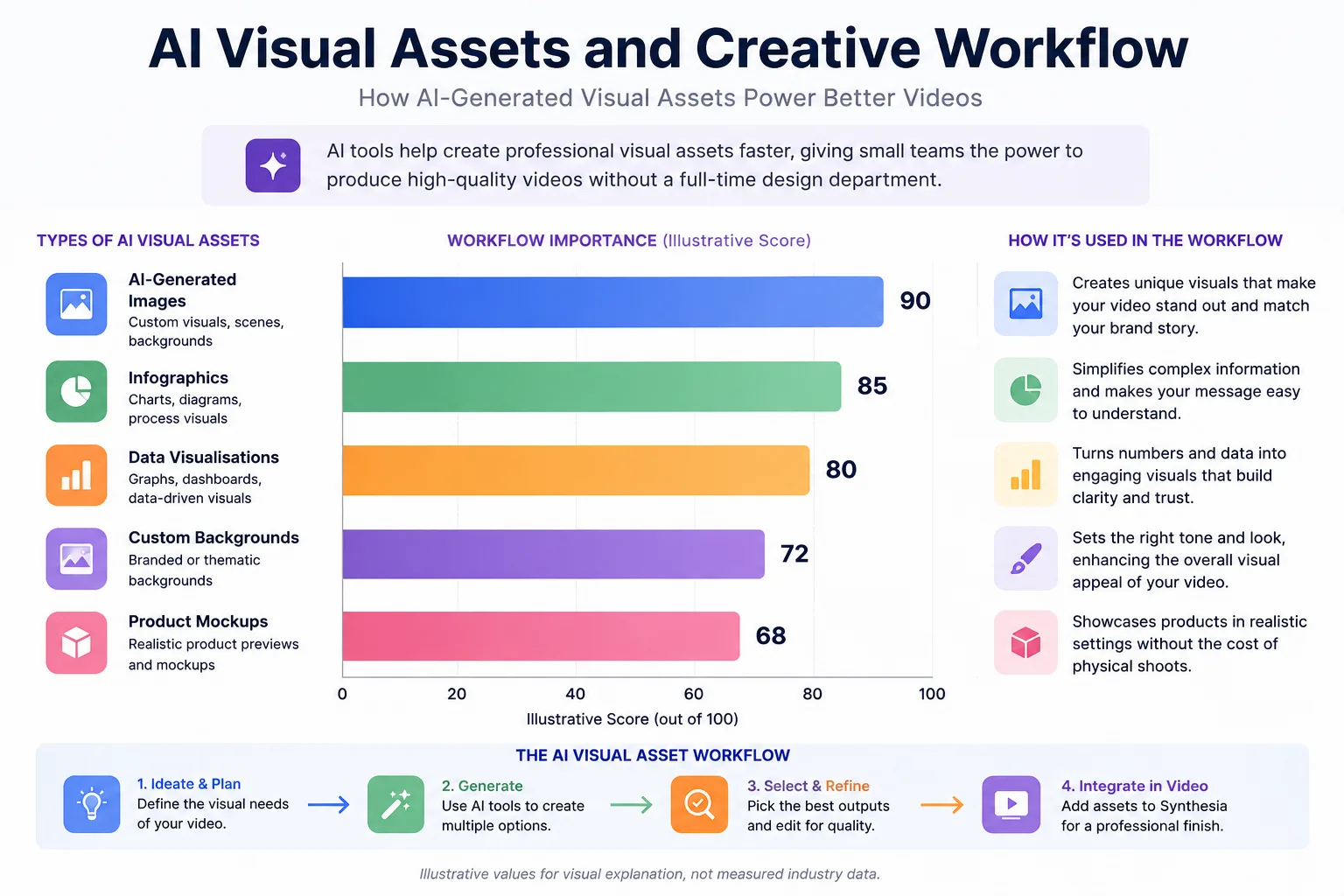
The rise of AI image generation has transformed what small teams can produce without a dedicated design department. Tools such as AI image generation platforms can create backgrounds, product mockups, and abstract visuals that improve on a Synthesia video’s default options. The best results often come from treating image generation as a separate creative step: spend focused time on prompts, pick the best outputs, and edit them before they enter the video pipeline.
Teams can combine Synthesia with AI-generated visual assets when a video requires custom visual elements rather than relying entirely on built-in media. For example, a financial services company creating a client education video might use AI-generated infographics and data visualisations as supporting slides, with the Synthesia avatar providing the narration that ties everything together.
AI Video Comparisons: How Synthesia Differs from Other AI Video Tools
The term “AI video” covers a surprisingly wide territory, and comparing platforms without acknowledging their different design philosophies leads to confusion. The clearest dividing line is between avatar-based communication platforms and generative video models.
Synthesia and Runway AI are both AI video products, but they solve noticeably different problems. Synthesia is centred around AI presenters and business communication, while Runway is better associated with generative visual video workflows, including text-to-video, style transfer, and timeline-based editing. A filmmaker exploring Runway is looking for creative control over the visual aesthetic. A training manager using Synthesia is looking for consistency, speed, and linguistic flexibility.
Seedance 2.0 belongs to a different corner of AI video, where generative models focus more on creating visual sequences than on presenter-led business communication. These tools are evolving fast, and the lines are starting to blur as avatar platforms add visual generation features and generative platforms experiment with character consistency. For now, the distinction still matters when making purchasing decisions.
The AI Productivity Ecosystem: Where Synthesia Fits
Stepping back from video specifically, the wider AI productivity space shows a pattern that helps explain where Synthesia fits. AI tools are increasingly specialised, built to be excellent at one category of task rather than adequate across many. That pattern shows up across the field.
GitHub Copilot shows the same pattern from another angle, applying AI assistance to software development instead of video production. A developer using Copilot inside their editor is going through a similar shift to a training manager using Synthesia: the AI handles the repetitive, predictable parts of the work so the human can focus on strategy, creativity, and quality control.
Replit AI sits in a completely different part of the workflow: it helps developers build software rather than presenter-led videos. Yet the interface philosophy is strikingly similar. Describe what you want in natural language, and the platform generates a working output. Both Synthesia and Replit hide that complexity, which lowers the barrier for people who know their domain but not the traditional tools of production.
Tools such as Cursor AI show how specialised AI applications get built around one particular workflow, much like the focused role Synthesia plays in video production. Cursor wraps the coding experience in an AI-native interface; Synthesia does the same for video production. Both are betting that creative and technical work increasingly happens in a loop between what a person wants and what the AI can execute.
AI Research, Script Development, and Content Integrity
Every AI-generated video starts with a script, and every script starts with research. How good that research is directly determines how credible the final output is. Teams that skip it end up with videos that sound confident but contain factual gaps, a risk that grows when the content is for a regulated industry.
Using AI-powered research tools that cite their sources adds a layer of verifiability that purely generative models lack. A researcher can trace every claim back to its origin, verify it independently, and cite it appropriately in the video or its accompanying description. This turns AI video from a possible source of misinformation into a trustworthy communication channel.
The connection between research, writing, and video production is getting tighter with each generation of AI tools. A future workflow might research a topic using Google’s AI assistant, draft a script with ChatGPT, and push the approved version directly into Synthesia for rendering, all within a single project management interface. That level of integration is not standard yet, but the individual pieces are already mature enough to use in production today.
For teams dealing with large internal knowledge bases, a document intelligence approach using AI document workflows can turn years of accumulated PDFs, wikis, and slide decks into structured script material. This is especially valuable for organisations going through digital transformation, where institutional knowledge is scattered across formats and departments.
The Future of AI Video and the Road Ahead
Synthesia is not the final form of AI video. Avatars will keep getting more expressive, lip sync will become harder to tell apart from real footage, and the line between a digital presenter and a human recording will keep blurring. Regulation will follow, particularly around disclosure, consent, and the misuse of digital likenesses. Platforms that invest early in ethical frameworks and transparency will have an advantage once those regulations arrive.
The trend is clear: AI is moving from novelty to infrastructure. Just as the next generation of AI assistants is quietly embedding itself into browsers and operating systems, AI video will become a standard feature inside enterprise software, learning management systems, and content management platforms. Synthesia’s current position as a standalone platform gives it a head start, but competition will look very different in two years.
For now, the practical question is whether Synthesia solves a real problem for your team. If you need regular, presenter-led video in multiple languages without scaling your production budget, the answer is almost certainly yes. If you need cinematic visual storytelling, the generative video tools covered in our wider AI tools guide are a better fit. Knowing the difference is what separates a smart AI investment from a disappointing one.