

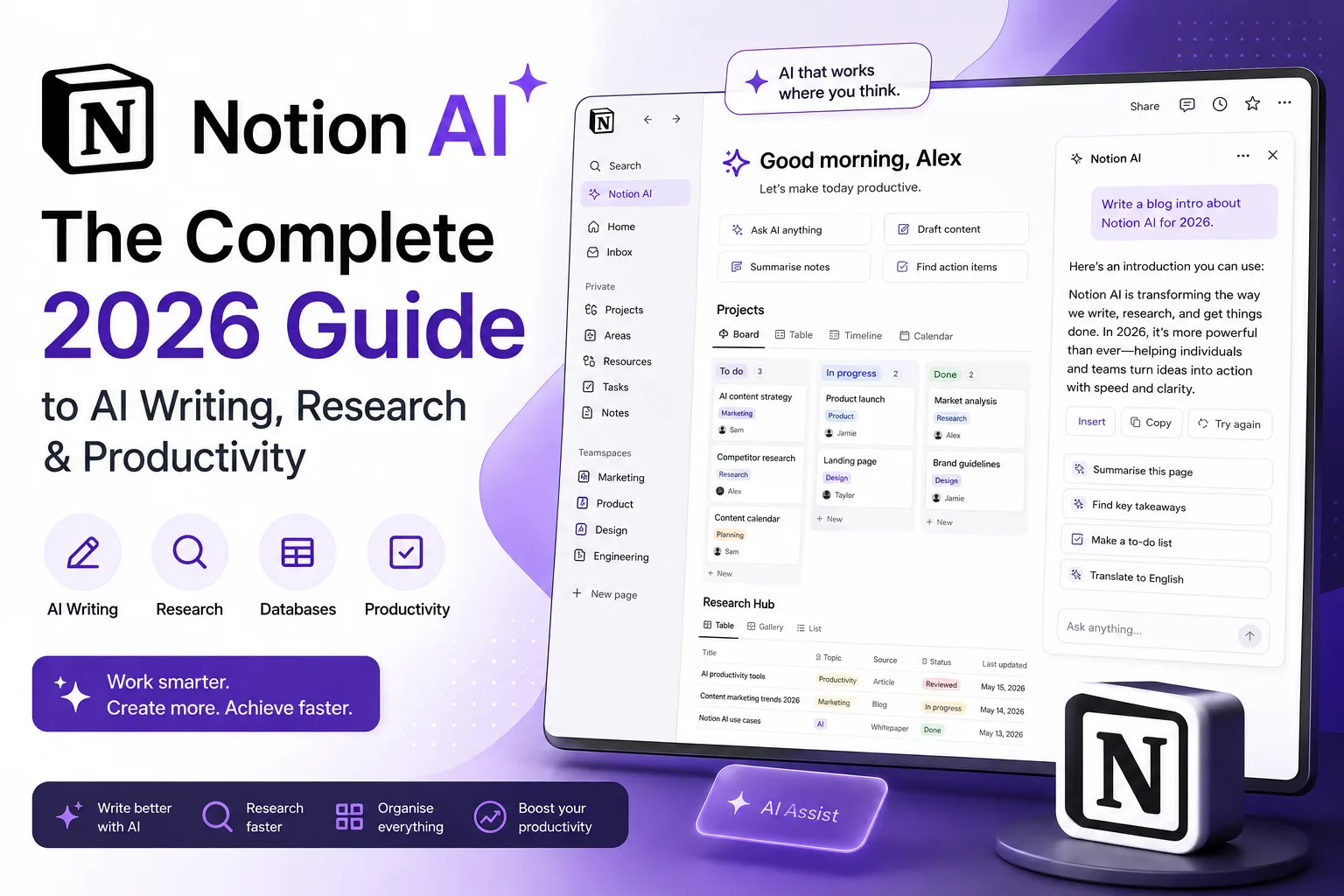
You open Notion to check a single project note. Twenty minutes later, you are staring at a page that contains half a dozen meeting notes, a buried task list, three research snippets, and the beginnings of a draft you forgot you started. The workspace is brilliant at holding everything. It has always been less brilliant at helping you make sense of what you have actually captured. That is precisely the gap Notion AI tries to close.
Notion AI isn’t a separate app. It lives inside the block you’re typing in, the database you’re filtering, and the long document you don’t have time to summarise. For people who already spend hours inside Notion each week, that’s a real change: instead of copying text into a separate chatbot, you stay where your thinking already lives.
This guide is based on extended use across writing, research, project management, and study workflows. It covers what works reliably, what creates extra work, and where you might still prefer a standalone tool like ChatGPT, without the marketing gloss.
What Is Notion AI?
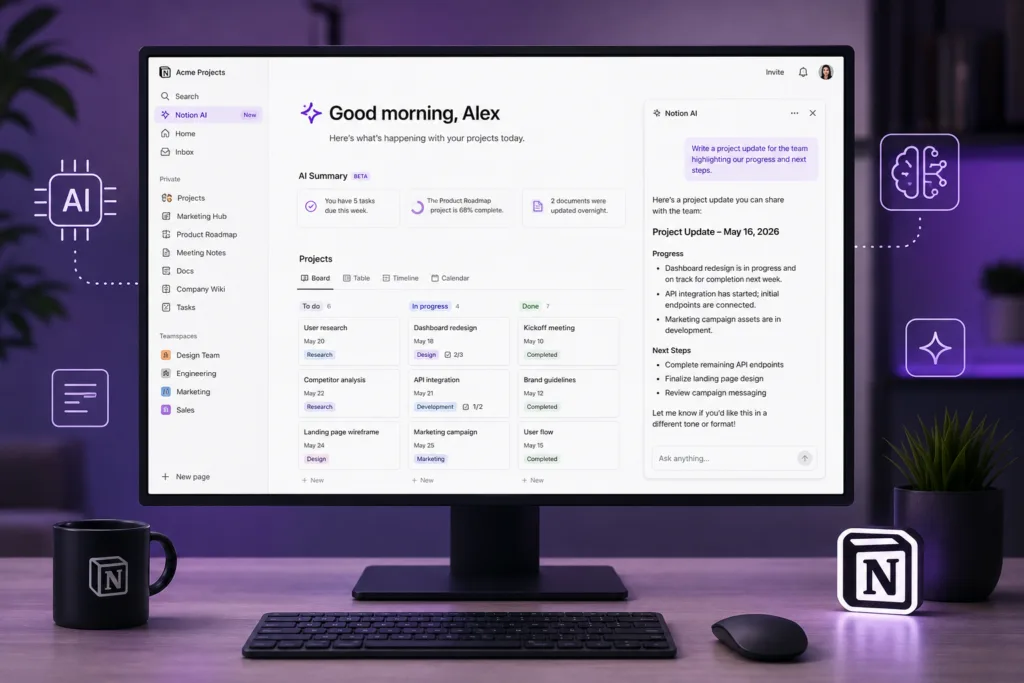
Notion AI is a set of artificial intelligence features built directly into the Notion workspace. It can write, edit, summarise, translate, brainstorm, extract action items, and answer questions using the content inside your Notion pages. Unlike a general-purpose chatbot, Notion AI has context from your workspace. You can ask it to improve a paragraph without leaving the document. You can highlight meeting notes and ask for decisions and owners. The AI understands that you are working inside a structured page, not just a blank chat window.
The practical advantage is that you do not need to explain what project you are working on. The AI already sees the page title, the surrounding blocks, and often the database properties. That context, while imperfect, reduces the amount of prompting you need to do.
Notion AI is not a separate subscription for everyone. Depending on the current plan, Notion AI may be included or available as an add-on. Notion can change its pricing and feature availability, so check your workspace settings for the latest details.
How Notion AI Fits Into the Notion Workspace
Notion AI appears in several places. You can trigger it by pressing the spacebar on an empty line, highlighting text and selecting “Ask AI”, or using the AI block inside databases and pages. The integration is designed to feel like part of the editor, not an external tool. This matters because friction kills productivity workflows. If you have to switch contexts, you often lose momentum. Notion AI reduces that switching cost.
One thing I noticed after a few weeks: the AI becomes most useful when your workspace is already structured. If your pages are a chaotic mix of random bullet points and untitled blocks, the AI struggles to deliver helpful output. When pages use clear headings, properties, and organised sections, the results are noticeably better.
How Notion AI Works
Under the surface, Notion AI uses large language models similar to those powering tools like ChatGPT and other generative AI assistants. The difference lies in how those models are prompted and constrained. Notion sends the content of your current page, along with your instruction, to the AI model. The model processes the request and returns text directly into your Notion block.
Because the AI sees your page content, it can reference specific notes, database entries, and recent edits. However, it does not have unlimited memory. Very long pages may be truncated. If you need to analyse a large document, you will often get better results by breaking it into smaller sections or using the AI on specific blocks. For a deeper technical explanation of what happens behind these interfaces, our article on How AI Tools Work: What Actually Happens Behind the Screen breaks down the process in plain language.
Key Notion AI Features
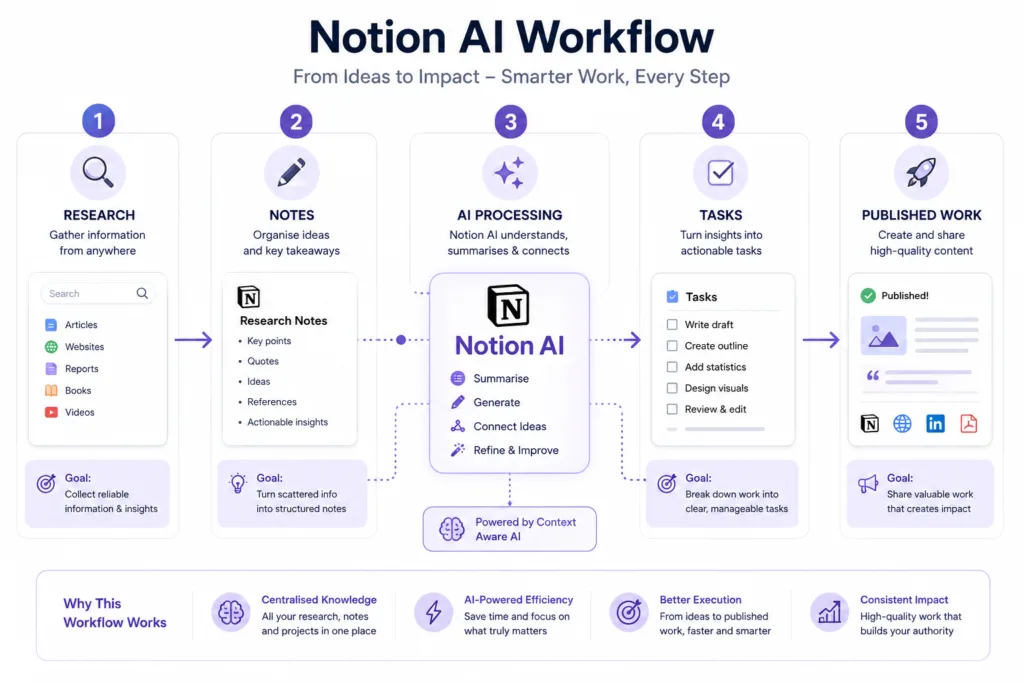
Notion AI bundles several capabilities into one interface. The most practical ones revolve around writing assistance, summarisation, and information extraction. Below is a breakdown that goes beyond feature labels.
| Feature | What it does | Best use | Practical value |
|---|---|---|---|
| Continue writing | Generates the next sentences based on existing text | Breaking writer’s block | Moderate Often needs editing |
| Improve writing | Rewrites for clarity, tone, or grammar | Polishing drafts | High Saves repetitive editing |
| Summarise | Condenses long text into key points | Meeting notes, research | High A real time-saver |
| Find action items | Extracts tasks and decisions from text | Project meetings | High Works best with clear notes |
| Translate | Converts text between languages | International teams | Useful Verify important nuances |
| Brainstorm ideas | Generates lists of suggestions | Content planning, naming | Good A useful starting point |
| Explain this | Simplifies complex text | Learning, onboarding | Helpful Good for quick understanding |
AI Writing and Editing Inside Notion
Writing with Notion AI feels different from using a dedicated writing assistant. The AI sits inside your draft, not alongside it. You can highlight a messy paragraph and ask it to rewrite in clear British English. You can turn bullet points into a coherent summary. The editor becomes interactive. This is genuinely useful for first drafts, internal documents, and places where perfect prose matters less than getting the idea across.
The catch is that Notion AI writing can sound formulaic. Left unchecked, it leans towards a corporate, slightly sterile tone. The best results come when you give specific tone and style instructions. Generic prompts produce generic output. The more context you provide about audience, purpose, and voice, the more natural the result.
Notion AI Prompt for Writing
Rewrite this paragraph in clear British English while keeping the original meaning and making the tone more conversational. Avoid corporate jargon. Aim for a thoughtful, editorial style.
Notion AI Prompt for Editing
Review this draft for clarity and conciseness. Identify sentences that are too long or difficult to follow. Suggest improvements without changing the core message.
Summarising Notes and Documents
This is one area where Notion AI consistently saves time. Highlight a lengthy set of meeting notes, research findings, or a dense article you have clipped into Notion, and ask for a summary. The AI produces a condensed version in seconds. The output is not always perfectly nuanced, but it is usually good enough to decide whether the full document is worth reading carefully.
The limitation appears with highly technical or domain-specific content. Summaries can flatten important distinctions. If your notes contain legal, medical, or scientific detail, treat the AI summary as a rough map, not the final record.
Notion AI Prompt for Meeting Notes
Turn these meeting notes into a concise summary with decisions, action items, owners and deadlines. Format the output as a simple table.
Extracting Key Information
Beyond summarisation, Notion AI can pull specific information from a page. You can ask it to list all questions raised, extract only the budget figures mentioned, or identify risks discussed in a project retrospective. This turns unstructured notes into structured data without manual re-typing. The feature works well when the original text is reasonably well-written. If notes are fragmented or full of shorthand, the AI guesses more and gets things wrong more often.
Brainstorming With Notion AI
Brainstorming inside Notion AI works best when you already have a starting point. An empty page with a vague prompt rarely produces surprising ideas. But if you feed it a half-formed concept, a target audience, and a few constraints, the suggestions become much more useful. For content creators, this can mean generating twenty potential angles for an article in under a minute. You then pick the best ones and discard the rest.
Notion AI Prompt for Brainstorming
I am writing a guide about sustainable home office setups. Generate 10 article angles that go beyond the obvious tips. Include angles that focus on cost, mental wellbeing, and second-hand sourcing.
Research Workflows
Notion AI can help organise research, but it cannot conduct original research. You still need to read sources, verify claims, and bring your own judgement. Where it helps is synthesis. After gathering notes from several articles into a Notion page, you can ask the AI to group ideas by theme, identify conflicting viewpoints, or highlight gaps in your current research.
This is not a replacement for tools designed specifically for research. For source-cited answers, many people still turn to Perplexity AI, the search engine that actually cites its sources. Notion AI is better for organising what you have already found rather than discovering new information.
Notion AI Prompt for Research
Extract the main arguments from these research notes and organise them into themes. Separate facts from opinions. Note any contradictions between sources.
Project Management
Notion already functions as a project management tool for many teams. Adding AI to the mix helps with turning vague notes into structured tasks. You can write a rough project brain dump, highlight it, and ask Notion AI to create a task list with suggested priorities and dependencies. The output often needs adjustment, but it provides a solid starting structure.
For teams using Notion databases, AI can also help generate summaries of project status based on database entries. This sounds minor, but writing weekly status updates manually is one of those tasks that quietly consumes time. Automating even a rough first draft reduces friction.
Notion AI Prompt for Project Management
Convert these project notes into actionable tasks. Group them by priority and identify dependencies. For each task, suggest a possible owner and a realistic timeframe.
Meeting Notes
The meeting notes workflow is one of the strongest use cases. After a meeting, paste your raw notes into Notion, then ask the AI to produce a structured summary. Including decisions and action items means less time spent formatting and more time acting on what was discussed. The quality of the output tracks the quality of the input pretty directly, so scrappy notes tend to come back out as a scrappy summary.
Task Management
Notion AI can extract tasks from any page of text. If you keep a daily journal or a running log of ideas, you can periodically ask the AI to pull out any uncompleted tasks and add them to your task database. This is not fully automated, but it helps surface things that would otherwise stay buried in old pages.
Knowledge Management
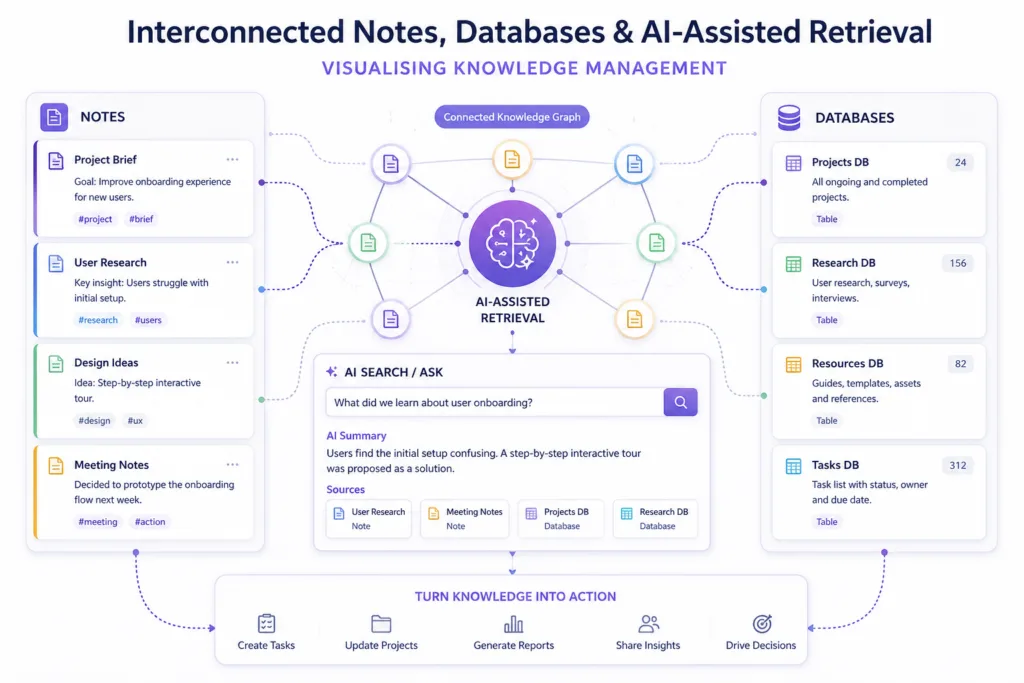
Knowledge management is where Notion as a platform already excels. Notion AI adds a layer of retrieval and summarisation. Instead of manually searching through a wiki of company policies, you can ask a question and get an answer generated from your existing documentation. This is only as reliable as the underlying pages. If your knowledge base is outdated or contradictory, the AI will reflect those problems, not fix them. For advanced document intelligence, tools like Continua AI, a document intelligence platform that understands your files, offer a different approach focused specifically on document understanding.
Notion AI for Students
Students use Notion for lecture notes, revision schedules, assignment planning, and group projects. Notion AI can turn a dense set of lecture slides into revision notes with key concepts and self-test questions. It can also help plan essay structures or explain difficult concepts in simpler language. The tool is genuinely useful as a study assistant, provided it is used to support learning rather than bypass it.
One risk for students is over-reliance. If you ask AI to summarise a reading you have not done, you might pass a quiz but you will not understand the material. The most effective approach treats AI as a tutor that helps you engage with content, not a shortcut that replaces engagement. For a broader look at tools that help study smarter, see our list of the best AI tools for students: 18 apps I actually use to study smarter.
Notion AI Prompt for Students
Turn these lecture notes into revision notes with key concepts, definitions, examples and questions for self-testing. Keep the tone clear and academic but accessible.
Notion AI for Writers and Content Creators
Writers can use Notion AI to overcome blank-page syndrome, generate outlines, and refine drafts. The AI works well as a thinking partner that offers suggestions you can accept, reject, or reshape. Long-form writers will find the summarisation feature useful for checking whether a draft’s structure holds together. If the AI summary misses your main point, your structure probably needs work.
Content creators managing multiple projects can keep research, briefs, and drafts inside Notion and use AI to move between stages. A rough idea can become an outline, then a first draft, then a polished piece, all within the same workspace. Visual content creators might combine Notion AI for planning with tools like Midjourney AI for creating AI images or Flux AI for AI image generation workflows.
Notion AI for SEO
SEO workflows benefit from Notion AI in several specific ways. You can use it to generate content briefs from a target keyword, create outlines that cover related subtopics, or suggest FAQs based on a draft. It can also assist with content refreshes by analysing an old article and identifying areas that need updating. However, AI should support SEO strategy, not replace it. Search intent analysis, competitive research, and editorial judgement still require human expertise.
If you are building a modern content strategy that includes AI, our guide to AI in SEO: how to build a modern content strategy covers the bigger picture beyond individual tools.
Notion AI Prompt for SEO
Analyse this draft and suggest missing subtopics that would make the article more comprehensive without keyword stuffing. Focus on topics that address related user questions.
Notion AI for Teams and Businesses
Teams using Notion for shared workspaces get collective value from AI. Meeting notes become action items faster. Project pages stay updated with AI-generated summaries. New team members can ask questions about company policies and get answers drawn from the existing wiki. The business value is less about individual productivity tricks and more about reducing the overhead of keeping information organised across a group.
For businesses exploring AI more broadly, the ecosystem extends well beyond Notion. Microsoft Copilot integrates AI into Office documents and Teams, while Amazon Bedrock provides enterprise generative AI infrastructure. Notion AI occupies a different niche: the lightweight, flexible workspace where teams already plan and document their work.

Notion AI for Developers
Developers often use Notion for technical documentation, sprint planning, and architecture decision records. Notion AI can help format technical notes, summarise lengthy RFCs, or generate draft documentation from rough notes. It is not a coding assistant. For actual code generation and assistance, developers rely on tools like GitHub Copilot, Cursor AI, or Replit AI. Notion AI’s developer value lies in the documentation and planning layer around the code, not the code itself.
Creative Workflows Across Tools
A realistic creative workflow in 2026 rarely involves just one AI tool. A content creator might plan a video in Notion AI, generate thumbnail concepts with Canva AI, produce b-roll using Runway AI or Seedance 2.0, and create a talking-head video with Synthesia AI. Notion AI serves as the planning hub where ideas, scripts, and project timelines live. The actual content production happens in specialised tools. This separation of concerns works well: Notion manages the thinking and organisation, while dedicated creative tools handle the output.
Notion AI Prompts and Advanced Techniques
Good prompting makes a noticeable difference. The most effective Notion AI prompts share a few traits: they are specific about format, tone, and audience. They provide context rather than assuming the AI understands the goal. They often include a negative instruction (what to avoid) alongside the positive request. Below are additional prompts for common scenarios.
Notion AI Prompt for Content Planning
Turn this topic into a detailed content outline with search intent, supporting subtopics and questions a reader is likely to ask. Structure the outline with H2 and H3 headings.
Notion AI Prompt for Advanced Brainstorming
You are an editor reviewing a pitch. This article draft argues that remote work improves productivity. Generate five counterarguments a sceptical reader might raise. For each counterargument, suggest how the article could address it.
Notion AI Prompt for Database Assistance
Based on the tasks in this database with a status of "In Progress", write a brief weekly status update. Highlight progress, flag blocked items, and note upcoming deadlines.
Notion AI vs ChatGPT
The comparison is inevitable. Both use large language models. Both can write, summarise, and brainstorm. The practical difference is context and convenience. Notion AI works inside your existing pages. ChatGPT is a standalone conversational partner. Neither is universally better. The choice depends on what you are doing.
Notion AI vs ChatGPT
See how both tools differ across context, writing, research and project workflows.
| Category | Notion AI | ChatGPT |
|---|---|---|
|
Context
|
Sees your Notion page content | Relies on conversation history |
|
Writing
|
Inline editing and tone adjustment | Flexible with broader writing styles |
|
Research
|
Synthesises your notes | Can browse the web, depending on version |
|
Project Management
|
Integrated with databases | No native project management features |
|
Long-form Content
|
Good for drafts within Notion pages | Better for extended back-and-forth drafting |
|
Ease of Use
|
No tab switching required | Usually requires a separate window |
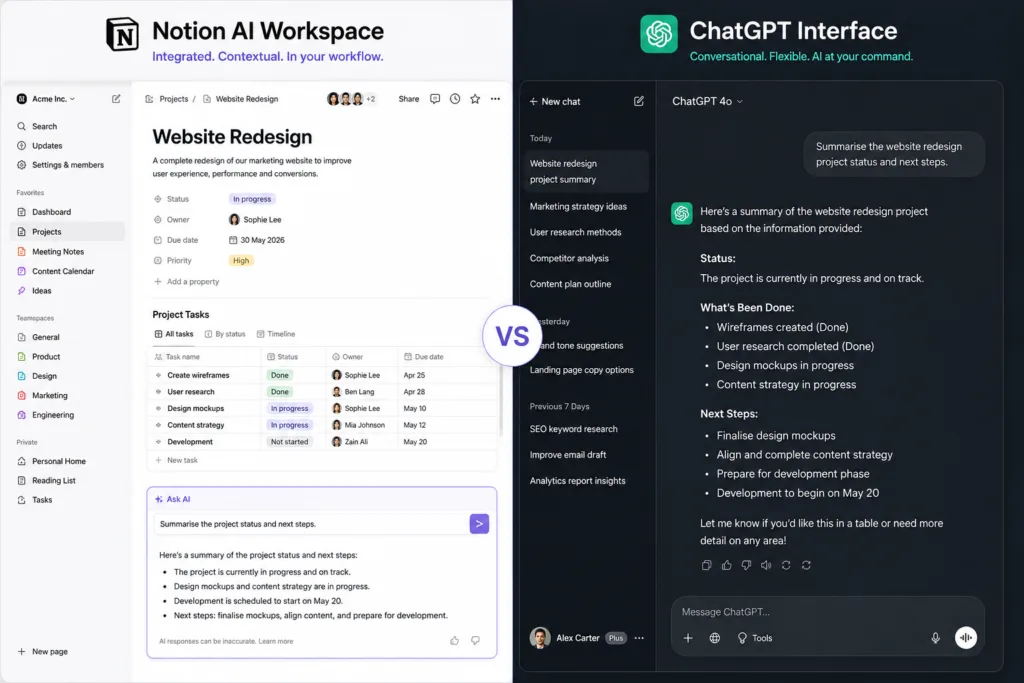
If you work primarily inside Notion, the AI there will feel more convenient for most tasks. If you need a longer, more exploratory conversation or want to use web browsing capabilities, ChatGPT remains the stronger choice. For an in-depth look at using ChatGPT effectively, see our complete ChatGPT guide for beginners.
Notion AI vs Other AI Productivity Tools
The AI productivity landscape in 2026 is crowded. Google Gemini offers AI integrated into Google Workspace. Microsoft Copilot does the same for Office. Then there are AI browser assistants that work across all web apps. Our look at AI browser assistants: the next step after chatbots explains how these tools reduce context-switching even further. Notion AI competes by being deeply embedded in a tool people already use for organised thinking, not just document editing.
For a comprehensive overview of the landscape, the ultimate guide to AI tools (2026) maps out the broader ecosystem. And for those curious about e-commerce or AWS-specific AI, best Amazon AI tools you should try in 2026 covers a different corner of the AI world.
Strengths and Weaknesses
Strengths
- Deep integration with existing Notion pages
- Reduces context-switching significantly
- Useful summarisation and action-item extraction
- Good brainstorming partner when given structured input
- Works across notes, databases, and documents
Weaknesses
- Output can be generic without detailed prompts
- Struggles with very long or unstructured pages
- Not a replacement for dedicated research tools
- Pricing and feature availability can change
- Hallucinations remain a risk
Common Mistakes When Using Notion AI
One frequent mistake is treating AI output as finished work, when really every AI-generated sentence needs a check for accuracy, tone, and relevance before it goes anywhere. Another mistake is using vague prompts and expecting precise results. If you do not specify what you want, you get whatever the model defaults to, which is often bland and generic.
A subtler mistake is ignoring page structure. Notion AI works better when your content is organised with clear headings and sections. If your page is a flat wall of text, the AI has less structural context to work with and the quality drops.
Privacy, Accuracy and Fact Checking
Important: AI-generated content should never be treated as automatically factual. Notion AI can produce hallucinations, outdated information, or context errors. Always verify important claims against original sources.
Privacy is another consideration. Notion’s AI features process your page content to generate responses. For sensitive or confidential information, review Notion’s current AI data-handling documentation before use. Do not assume that all data remains entirely private simply because it sits inside your workspace. Policies evolve, and Notion can change how AI data processing works.
For research tasks where source verification is critical, tools like Perplexity AI that cite their sources explicitly can provide an additional layer of trust. Notion AI is better suited to internal drafts and synthesis than to producing externally publishable factual content without human review.
Who Should Use Notion AI?
Notion AI is most valuable for people who already live inside Notion. If you spend hours each day managing projects, writing documents, and organising knowledge in Notion, the AI integration will save you meaningful time. Students who use Notion for study organisation will find the summarisation and explanation features immediately useful. Small teams that run their workflows through Notion will see collective efficiency gains.
Who Should Probably Avoid It?
If you do not use Notion regularly, adding an AI subscription on top of a tool you rarely open makes little sense. If your work requires highly specialised, factual accuracy with minimal tolerance for error, you will find yourself double-checking everything the AI produces, which may negate the time savings. And if you are already happy with a standalone AI tool and do not mind copy-pasting between apps, Notion AI’s integration advantage may not justify the additional cost.
Is Notion AI Worth Using in 2026?
The answer depends on your workflow. For the right user, Notion AI removes enough friction to be genuinely worth the price: the ability to summarise, draft, and extract information without leaving your workspace is a real productivity gain. It’s not revolutionary, and it won’t replace careful thinking, editing, or fact-checking, but it does make the messy reality of a busy workspace a bit more manageable, which fits naturally with a tool already built around reducing chaos.
The Bigger Shift: From AI Chatbots to AI-Native Workspaces
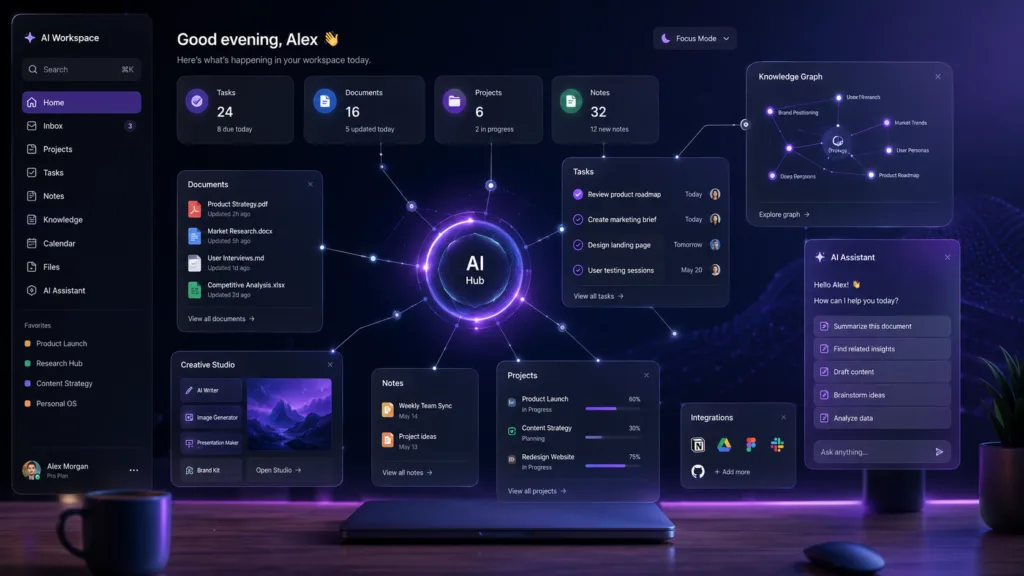
Notion AI is also a useful example of a broader change in how people reach AI at all. For years, using AI meant opening a chatbot tab, typing a prompt, and copying the result somewhere else. That works, but it’s clunky. The newer pattern, visible across several tools now, puts AI directly inside the place where the work already happens.
AI browser assistants bring AI into every webpage and web app. Workspace tools like Notion AI, Microsoft Copilot, and Google Gemini build assistance straight into documents, spreadsheets, and project boards. In each case the AI can see your notes, tasks, calendar, or team activity, and that context means it needs less explicit prompting to give a useful answer.
Notion AI isn’t the only example of this, but it’s one of the more accessible ones. It shows what happens when AI stops being somewhere you visit and becomes something that’s just there while you work. The technology is still imperfect: hallucinations, bland writing, and context gaps are all still real problems. But more of these tools are heading in the same direction, folding AI into the workspace rather than keeping it in a separate window.