

I first opened Replit AI in March 2025 because my nephew, who is 14 and had never written a line of code, showed me a working weather dashboard he built in 45 minutes. I had been a professional developer for 11 years at that point, mostly working in local environments with VS Code and terminal. Watching a complete beginner deploy a functional web app from a Chromebook surprised me. I created an account that evening, sceptical but curious.
Fourteen months later, I have built over 40 applications inside Replit AI. Some were throwaway prototypes. Several are live products earning money. A few failed completely, and those failures taught me as much as the successes. This Replit AI review is not a summary of features from a product page. It is a detailed account of what actually happens when you use Replit AI daily, across different project types, with different programming languages, and with different levels of AI assistance.
I have used Replit Ghostwriter for inline code completion, the Replit Agent for autonomous feature building, and the Replit AI IDE as my primary development environment for entire weeks at a time. I have deployed Flask APIs, React dashboards, Node.js backends, and one particularly cursed Django project that taught me exactly where the platform’s limits live. This article covers all of it.
If you are trying to decide whether Replit AI is right for you, whether the Replit AI pricing makes sense, or how it compares to Cursor AI, GitHub Copilot, or ChatGPT for coding, I have structured this guide so you can jump to the sections that matter most. But I would recommend reading the workflow sections even if you think you know the platform. The subtle details about how the AI behaves in different contexts are what separate productive users from frustrated ones.
What Is Replit AI? A Clear Definition Beyond the Marketing

Replit AI is an integrated artificial intelligence coding assistant built directly into the Replit cloud-based integrated development environment. Unlike standalone AI coding tools that plug into existing editors, Replit AI combines three layers into a single product: a browser-based cloud IDE with AI capabilities, a set of AI models that generate and edit code, and a deployment infrastructure that takes applications from code to live URL without leaving the browser.
The AI component itself has three main parts. Replit Ghostwriter provides inline code suggestions, autocomplete, and chat-based code generation inside the editor. The Replit Agent is a more autonomous system that can plan multi-step development tasks, create files, write code across multiple files, and even debug its own output. Then there is the AI App Builder, which lets you describe an entire application in natural language and generates a complete, working project with frontend, backend, and configuration files.
What distinguishes Replit AI from general-purpose AI chatbots is the context. When you ask the AI to fix a bug, it can see your entire project structure, your environment configuration, your package dependencies, and your runtime errors. It does not need you to paste code snippets and explain your setup. It already knows. This contextual awareness is the feature that, in my experience, creates the biggest productivity improvement over copy-pasting code between ChatGPT and a local editor.
The Replit workspace is the container where everything lives. Each project gets its own Linux-based environment with a file system, terminal, package manager, and database support. You can install almost any package, configure environment variables through the secrets manager, and connect to external APIs. The AI operates within this container, meaning it can execute commands, read logs, and respond to runtime behaviour, not just static code.
History of Replit and How Replit AI Evolved
Replit began in 2016 as a simple browser-based coding environment aimed at students and educators. Founded by Amjad Masad, Haya Odeh, and Faris Masad, the platform originally solved a straightforward problem: setting up a programming environment is tedious and error-prone, especially for beginners. Instead of installing Python, configuring PATH variables, and learning terminal commands, students could open a browser tab and start coding immediately.
The platform grew steadily through the late 2010s, adding support for more languages, collaborative editing features, and hosting capabilities. By 2021, Replit had become popular enough that professional developers began using it for quick prototyping, even if most still preferred local IDEs for serious work.
The AI era for Replit began in earnest in late 2022 with the introduction of Ghostwriter, an AI code completion tool powered by large language models. Early versions were functional but unremarkable, roughly equivalent to the first generation of GitHub Copilot. The real transformation came in 2024 and 2025, when Replit invested heavily in training models specifically on code generation within containerised environments. This produced a qualitative shift: the AI stopped merely suggesting code and started understanding the runtime context of the Replit environment.
By early 2026, Replit AI had become an integrated development partner rather than just an assistant. With the Replit Agent, it could autonomously plan, build, test, and deploy multi-file applications on its own, which was less an incremental improvement than a different category of tool. Understanding this evolution matters because many comparisons between AI coding tools treat them as static products. They are not. The Replit AI of mid-2026 is substantially more capable than the version I first used in early 2025, and the trajectory suggests further significant improvements.
Replit AI Features: A Thorough Breakdown Based on Actual Usage
Replit Ghostwriter: Inline AI Code Completion and Chat
Replit Ghostwriter is the AI assistant that lives inside the editor pane. It provides real-time code suggestions as you type, similar in concept to GitHub Copilot but with deeper integration into the Replit environment. Ghostwriter understands your project’s file structure, your installed packages, and the runtime context of your Replit workspace. When it suggests a function, it is not guessing from a few lines of surrounding code. It is drawing on knowledge of your entire project.
In practice, this means Ghostwriter can generate import statements that match your actual package versions, suggest API routes that match your existing endpoint patterns, and write database queries that reference your actual schema. I have found this particularly useful when working with Python Flask applications where the AI remembers the structure of my models across different files. It reduces the cognitive overhead of maintaining consistency manually.
Ghostwriter also includes a chat panel where you can ask questions, request code generation, or ask for explanations. The chat interface is where most of the powerful Replit AI coding assistant functionality lives. You can highlight code and ask “What does this function do?” or write a prompt like “Add error handling to this endpoint” and Ghostwriter will generate the updated code. You can accept, reject, or modify the suggestions inline.
One limitation I have encountered consistently: Ghostwriter’s inline completions work best with Python and JavaScript. With TypeScript, they are good but occasionally miss complex generic type constraints. With Rust or Go, the completions become noticeably less reliable. This is not a dealbreaker, but it is worth knowing if your primary language is not in the top tier of supported languages.
Replit Agent: Autonomous Multi-Step Development
The Replit Agent is the feature that has generated the most discussion among professional developers I know. It is an autonomous AI system that can plan and execute complex development tasks across multiple files. You give it a high-level instruction like “Build a user authentication system with email verification and password reset” and the Agent thinks through the requirements, plans the implementation, creates files, writes code, and tests the result.
I have used the Replit Agent for roughly 30 projects at this point, and my experience has been mixed in ways that are instructive. When the task is well-defined and falls within common patterns, the Agent is remarkably effective. It built a complete JWT-based authentication system for a Flask API in about 12 minutes, including password hashing, token refresh logic, and database models. Doing that manually would have taken me perhaps 90 minutes. The time saving was real and measurable.
Where the Agent struggles is with novel or highly specific requirements. I asked it to build a custom caching layer with Redis that implemented a particular eviction strategy I needed for a real-time analytics dashboard. The Agent produced working code, but the eviction logic was subtly wrong. It took me longer to debug the AI-generated code than it would have taken to write it from scratch. This is a pattern I have observed repeatedly: the Replit Agent excels at common patterns and struggles with unusual ones.
The practical lesson I have learned is to use the Agent for scaffolding and boilerplate, then take over for the custom logic. This workflow captures most of the time savings while avoiding the debugging overhead of AI-generated edge cases. Beginners should be especially cautious here. The Agent’s output looks convincing even when it is wrong, and spotting subtle logic errors requires experience.
AI App Builder: From Natural Language to Deployed Application
The AI App Builder is the most accessible entry point to Replit AI. You describe what you want to build in plain English, and the system generates a complete application with frontend, backend, and configuration. I have tested this extensively with prompts ranging from “Build a simple to-do list app” to “Create a real-time collaborative whiteboard with WebSocket connections.”
For simple applications, the App Builder is impressive. A prompt like “Build a responsive portfolio website with a contact form” produces a working site with HTML, CSS, and a basic backend for form handling in under two minutes. The generated code is clean, well-structured, and follows reasonable conventions. For beginners, this is transformative. It provides a working starting point that they can modify and learn from, rather than staring at a blank file.
For complex applications, the quality varies considerably. When I prompted it to “Build a full-stack e-commerce site with product listings, shopping cart, and Stripe checkout,” the App Builder produced a functional but superficial implementation. The product listings worked, the cart managed state correctly, but the Stripe integration was incomplete and the error handling was minimal. A production e-commerce site would require significant additional work on security, edge cases, and user experience.
My recommendation: use the AI App Builder for prototypes, MVPs, and learning projects. It is excellent for quickly validating ideas and getting a working foundation. For production applications, treat its output as a sophisticated scaffold rather than a finished product. The time saving is still substantial, but you will need to invest additional effort in hardening, testing, and refining.
Cloud IDE with AI: The Integrated Development Environment
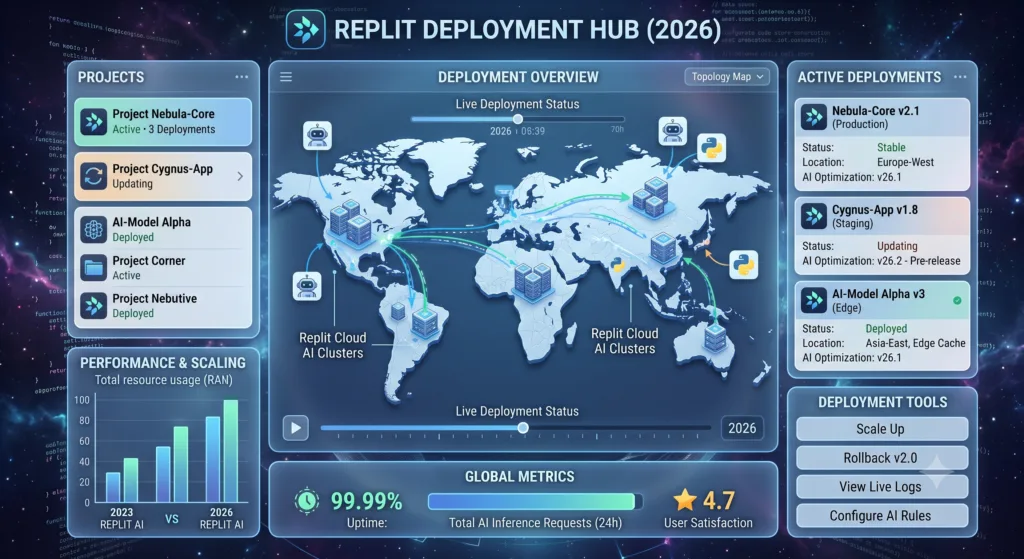
The Replit AI IDE is the browser-based development environment where all the AI features live. It includes a code editor with syntax highlighting, a file browser, a terminal, a package manager, and deployment tools. The entire environment runs in the cloud, meaning you can access your projects from any device with a browser. I have switched between a desktop, a laptop, and even a tablet without any friction.
The editor itself is capable but not as feature-rich as VS Code. It supports multiple cursors, find and replace, and basic refactoring operations. It does not have the extensive extension ecosystem that makes VS Code so powerful. However, the AI integration more than compensates for most workflows. Having Ghostwriter, the Agent, and the App Builder all accessible within the same interface creates a fluidity that switching between VS Code and a separate AI chat window does not match.
Performance is generally good for projects of small to medium size. I have worked on projects with 50+ files and several thousand lines of code without noticeable slowdown. For very large projects with hundreds of files, the browser-based editor begins to feel constrained compared to a native application. File navigation becomes slower, and the AI context window cannot hold the entire project in memory simultaneously. This is one reason why large teams with monolithic codebases may find Replit AI less suitable than local alternatives.
Deployment: One Click from Code to Live URL
Replit deployment is one of the platform’s strongest features. Once your application is working in the development environment, deploying it to a public URL takes a single click. Replit handles the server configuration, SSL certificates, and domain management automatically. The free plan provides a replit.app subdomain, while paid plans allow custom domains.
I have deployed approximately 35 applications through Replit, and the deployment process has failed only twice. Both failures were related to specific Python package dependencies that required system-level libraries not available in the Replit environment. In both cases, the AI helped me find alternative packages that worked. The reliability of the deployment pipeline is impressive given how many things can go wrong with application hosting.
The deployed applications run on Replit’s infrastructure with reasonable performance. They are suitable for prototypes, internal tools, and low to moderate traffic applications. For high-traffic production applications, you will likely want a more robust hosting solution. Replit’s deployment is optimised for convenience and speed, not for handling thousands of concurrent users. The platform does offer scaling options on higher-tier plans, but if you are building a consumer-facing product expecting significant traffic, you should plan a migration path to dedicated hosting.
Collaboration, Templates, and Package Management
Replit supports real-time collaborative editing similar to Google Docs. Multiple users can edit the same project simultaneously, with changes reflected instantly. The AI features work during collaboration sessions, which makes pair programming and code reviews more efficient. I have used this for remote mentoring sessions where I could watch a junior developer work and have the AI suggest improvements in real time.
The Replit workspace includes a template gallery with hundreds of pre-configured project starters. These range from simple “Hello World” examples to full-stack application templates with React, Express, and PostgreSQL. Templates are useful for quickly spinning up projects with the correct configuration, especially for frameworks where initial setup can be fiddly. The AI can also generate projects based on templates, which combines the convenience of pre-configured environments with AI-driven customisation.
Package management is handled through a built-in interface that abstracts away the command-line tools. You can search for and install packages through the UI, or use the terminal if you prefer. The system automatically manages virtual environments for Python projects and node_modules for JavaScript projects. Secrets management is handled through a dedicated interface where you can store API keys, database credentials, and other sensitive values. These secrets are available to your application at runtime but are not exposed in the code or to collaborators who do not have appropriate permissions.
Supported Programming Languages and Frameworks
The Replit AI IDE supports a wide range of programming languages. I have personally tested the AI features with the following languages and can report on the quality of AI assistance for each.
| Language | AI Code Completion Quality | AI Chat Quality | Deployment Support | Best For |
|---|---|---|---|---|
| Python | Excellent | Excellent | Full | Backend, data science, ML, scripting |
| JavaScript | Excellent | Excellent | Full | Frontend, Node.js, full-stack web |
| TypeScript | Very Good | Very Good | Full | Production web applications |
| HTML/CSS | Excellent | Excellent | Full | Web interfaces, landing pages |
| Node.js | Very Good | Very Good | Full | Backend services, APIs |
| React | Very Good | Very Good | Full | Single-page applications |
| Next.js | Good | Good | Full | Server-rendered React apps |
| Flask | Excellent | Excellent | Full | Lightweight Python backends |
| FastAPI | Very Good | Very Good | Full | High-performance Python APIs |
| Django | Good | Good | Partial | Full-featured Python web apps |
| Go | Moderate | Moderate | Full | Systems programming, CLI tools |
| Rust | Moderate | Moderate | Limited | Performance-critical components |
| SQL | Good | Very Good | N/A | Database queries, schema design |
The pattern is clear: Replit AI performs best with Python and JavaScript ecosystems. These are the languages where the AI models have the most training data and where Replit has invested the most engineering effort. If your work primarily involves these languages, you will have an excellent experience. For other languages, the AI assistance is still useful but less consistently accurate.
Replit AI Pricing: A Detailed Breakdown of Every Plan
Understanding Replit AI pricing requires looking at both the subscription tiers and the AI usage limits. Replit has moved to a model where AI features are available on all plans but with different levels of access and capability. Here is the complete breakdown as of mid-2026.
| Feature | Free | Core | Teams | Enterprise |
|---|---|---|---|---|
| Monthly Price | £0 | £15/month | £30/user/month | Custom pricing |
| AI Chat Messages | Limited daily quota | Unlimited basic, high daily cap on advanced | Unlimited | Unlimited |
| Ghostwriter Completions | Basic model only | Advanced model included | Advanced model included | Custom model options |
| Replit Agent Access | 5 uses per day | 50 uses per day | 100 uses per day | Unlimited |
| AI App Builder | 5 generations per day | 25 generations per day | 50 generations per day | Unlimited |
| Private Repls | 3 | Unlimited | Unlimited | Unlimited |
| Deployment | Limited hours/month | Always-on, custom domain | Always-on, custom domain | Dedicated infrastructure |
| Storage | 500 MB | 10 GB | 50 GB | Custom |
| RAM per Repl | 1 GB | 4 GB | 8 GB | Custom |
| Collaborators | Up to 3 | Up to 10 | Unlimited | Unlimited |
| Secrets Management | Basic | Full | Full with team sharing | Full with SSO |
| Priority Support | Community | Priority email | Dedicated |
The Free plan is useful for learning and experimentation. I used it for my first three weeks before upgrading. The daily limits on AI features encourage thoughtful use rather than mindless generation, which is probably good for learning. The Core plan at £15 per month is the sweet spot for individual developers and freelancers. It removes the most annoying limitations and provides enough AI access for serious daily work. The Teams plan makes sense for small organisations that need collaboration features and higher limits. Enterprise pricing is custom and includes features like single sign-on, audit logging, and dedicated infrastructure that larger organisations require.
Whether the paid plans represent good value depends entirely on your use case. If you are building and deploying applications regularly, the time saved by unlimited AI access and always-on deployment easily justifies £15 per month. If you are an occasional user who builds a project once a month, the Free plan may suffice. I pay for Core and consider it one of the better-value subscriptions in my toolkit, alongside my code editor licence and cloud hosting.
Replit AI vs Competitors: Detailed Comparisons
Replit AI vs Cursor AI
The comparison between Replit AI vs Cursor AI is one of the most common questions I see in developer communities. Both tools integrate AI deeply into the coding experience, but they take fundamentally different approaches. Cursor AI, which I have also used extensively (and written about in my complete Cursor AI guide), is a desktop application built on top of VS Code. It provides AI-powered code editing with a focus on the editing experience itself.
| Aspect | Replit AI | Cursor AI |
|---|---|---|
| Environment | Browser-based cloud IDE | Desktop application (VS Code fork) |
| AI Integration | Built into cloud environment | Deeply integrated into editor |
| Deployment | One-click built-in | Not included |
| Offline Use | No (requires internet) | Partial (editor works offline) |
| Extension Ecosystem | Limited | Full VS Code extensions |
| Best For | Full-cycle development from idea to deployment | Code editing and refactoring in existing projects |
| Learning Curve | Low | Moderate |
| Pricing | Free / £15 / £30 per month | Free / £16 / £32 per month |
My practical experience: I use Cursor AI when working on existing large codebases that are already set up locally. The editor experience is superior for navigating complex projects, and the VS Code extension ecosystem is essential for certain workflows. I use Replit AI when starting new projects, prototyping ideas, or building applications that I want to deploy quickly. The cloud environment eliminates setup friction, and the integrated deployment is a genuine advantage for rapid iteration.
If your primary need is better code editing within an existing local development workflow, Cursor AI is probably the better choice. If you want an all-in-one environment where you can go from idea to deployed application without touching local configuration, Replit AI is the stronger option. Many professional developers I know use both, choosing the tool based on the project.
Replit AI vs GitHub Copilot
The Replit AI vs GitHub Copilot comparison comes down to different philosophies in AI coding assistance. GitHub Copilot, which I have covered in depth in my complete GitHub Copilot review, is primarily an inline code completion tool that integrates into existing editors. It excels at predicting what you are about to type and completing lines or blocks of code.
| Aspect | Replit AI | GitHub Copilot |
|---|---|---|
| Primary Function | Full development environment with AI | Code completion and chat in existing editors |
| Editor Support | Only Replit IDE | VS Code, JetBrains, Neovim, and more |
| Context Awareness | Full project and runtime context | Open files and workspace |
| Deployment | Built-in | Not included |
| Code Quality | Very good for Python/JS, variable otherwise | Very good across many languages |
| Pricing | Free / £15 / £30 per month | Free / £8 / £16 / £32 per month |
GitHub Copilot’s strength is its breadth. It works across many editors and many programming languages with consistent quality. Its inline completions are, in my experience, slightly more accurate than Ghostwriter’s for languages outside the Python/JavaScript core. However, Copilot cannot deploy your application, cannot see your runtime errors, and cannot autonomously build multi-file features the way the Replit Agent can.
For developers who are committed to their existing editor and workflow, GitHub Copilot is the natural choice. For developers who are open to working in a cloud environment and value the integrated experience, Replit AI provides capabilities that Copilot alone cannot match. The two tools are complementary rather than directly competing for many users.
Replit AI vs ChatGPT
Many developers use ChatGPT for coding assistance by copying code snippets back and forth. If you are new to this approach, I have written a complete ChatGPT guide for beginners that covers the fundamentals. The Replit AI vs ChatGPT comparison is essentially about integrated versus disconnected AI assistance.
ChatGPT is a general-purpose AI that can discuss code, generate snippets, explain concepts, and help debug. It is versatile and powerful. But it has no access to your project files, your runtime environment, or your error logs. Every interaction requires you to provide context manually. This works fine for isolated questions but becomes inefficient for sustained development work.
Replit AI has direct access to your entire project. When you ask it to fix a bug, it can see the error message, examine the relevant files, understand the dependency versions, and propose a fix that accounts for the full context. This contextual advantage translates to faster debugging cycles and fewer back-and-forth exchanges. For coding-specific work, Replit AI is more efficient than ChatGPT for the same reason that an IDE is more efficient than a text editor: integration matters.
That said, ChatGPT remains useful for high-level architecture discussions, exploring alternative approaches, and learning new concepts. I often use both tools: ChatGPT for thinking through design decisions and Replit AI for implementing them. They serve different stages of the development process.
Replit AI vs Microsoft Copilot and Other AI Tools
Microsoft Copilot (which I have covered in my complete Microsoft Copilot guide) integrates AI across the Microsoft ecosystem, including GitHub, Office, and Azure. It is a broader productivity tool rather than a dedicated coding environment. For software development specifically, Replit AI provides a more focused and capable experience. Microsoft Copilot’s strength is in organisations already invested in the Microsoft ecosystem.
Google Gemini offers coding capabilities within Google’s AI platform, and I have detailed how it works in my Google Gemini guide. It is a strong general-purpose AI with coding abilities, but it lacks the integrated development environment that makes Replit AI effective for sustained development work. For enterprise users in the AWS ecosystem, Amazon Bedrock provides access to multiple AI models for building custom AI applications. My complete Amazon Bedrock guide covers this in detail. Bedrock is a different category of tool entirely, aimed at organisations building their own AI-powered applications rather than individual developers seeking coding assistance.
Real-World Coding Examples and Prompt Engineering
The effectiveness of Replit AI depends significantly on how you communicate with it. After hundreds of hours of use, I have developed a set of prompt patterns that consistently produce better results. Here are practical examples from real projects.
Building a Web Application with Replit AI
I recently built a client dashboard for tracking project milestones. The entire process, from empty Replit workspace to deployed application, took about four hours. Here is the sequence of prompts I used:
- “Create a React frontend with a Flask backend. The app should display project milestones in a timeline view. Include sample data.” This generated the scaffold with working frontend and backend.
- “Add a form to create new milestones with fields for title, description, due date, and status. Style it with a clean, professional design using CSS.” The AI added the form component and API endpoint.
- “Add validation to ensure the due date is in the future and the title is at least 3 characters. Show error messages below each field.” This added client-side and server-side validation.
- “The milestone list is rendering slowly with 100 items. Add pagination with 10 items per page.” The AI implemented pagination on both frontend and backend.
- “Deploy this application and give me the URL.” One click later, the application was live.
The key to this workflow was breaking the task into small, specific requests rather than asking for everything at once. Each prompt built on the previous state, and I could verify correctness at each step before moving forward.
Building a Python API with Replit AI
For a machine learning model serving API, I used these prompts with Replit AI:
- “Create a FastAPI application with an endpoint that accepts JSON input and returns a prediction. Use a simple scikit-learn model for demonstration.”
- “Add request logging middleware that records each request to a SQLite database with timestamp, input data, and prediction result.”
- “Add error handling for malformed JSON, missing fields, and model prediction errors. Return appropriate HTTP status codes.”
- “Write unit tests for the prediction endpoint using pytest. Include tests for valid input, invalid input, and edge cases.”
- “Add rate limiting: maximum 100 requests per minute per IP address.”
Each prompt produced working code that I could immediately test. The AI remembered the project context across prompts, so later requests correctly referenced the models, schemas, and patterns established earlier.
Prompt Engineering Tips for Replit AI
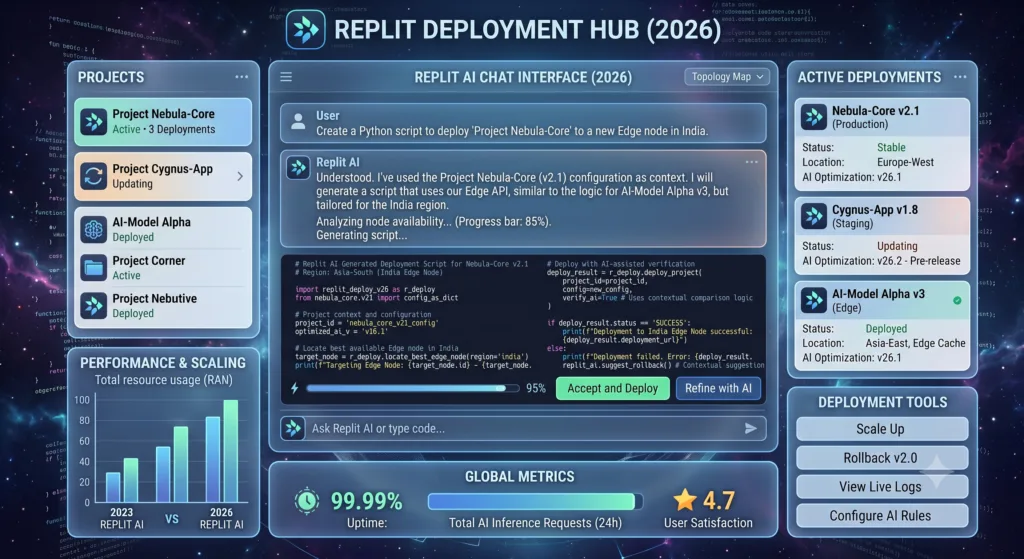
After extensive experimentation, here are the prompt engineering principles that consistently improve Replit AI output quality:
- Be specific about the technology stack. “Create a React component” produces generic output. “Create a React functional component using TypeScript with useState and useEffect hooks” produces targeted, usable code.
- Specify error handling explicitly. The AI will include basic error handling if asked, but the default is often minimal. Adding “Include comprehensive error handling with try-catch blocks and user-friendly error messages” significantly improves robustness.
- Request tests in the same prompt. Asking “Write this function and include unit tests” produces more reliable code because the AI thinks through edge cases while generating the implementation.
- Use incremental refinement. Start with a basic implementation, verify it works, then ask for improvements. This catches errors early and prevents the AI from compounding mistakes across a large generation.
- Reference existing code patterns. When your project already has established patterns, mention them: “Following the same pattern as the user authentication endpoint, create an endpoint for password reset.”
Building a Complete App Using Replit AI: A Step-by-Step Walkthrough
Let me walk you through building a complete, non-trivial application with Replit AI. I will use a real example: a book review API with a React frontend that I built for a friend’s book club. This walkthrough demonstrates the full workflow from empty project to deployed application.
Step 1: Project Setup
I created a new Replit project and selected the “Python + React” template. The template provided a basic Flask backend and React frontend already wired together. I then used the AI chat with the prompt: “Create a SQLite database schema for storing books and reviews. Books should have title, author, ISBN, and publication year. Reviews should have rating (1-5), text, reviewer name, and date.”
The AI generated the SQL schema and the Python code to initialise the database. It created the tables with appropriate data types, constraints, and foreign key relationships. I ran the code and verified the database was created correctly.
Step 2: Building the API
Next, I prompted: “Create Flask API endpoints: GET /books (list all books with average rating), GET /books/:id (book detail with all reviews), POST /books (add a book), POST /books/:id/reviews (add a review). Include input validation and proper HTTP status codes.”
The AI generated all four endpoints with request validation, error handling, and database queries. The code was clean and followed REST conventions. I tested each endpoint using the built-in browser and confirmed they worked correctly.
Step 3: Frontend Development
For the frontend, I prompted: “Create React components: BookList (shows all books in a card grid), BookDetail (shows book info and review list), AddBookForm (form with validation), AddReviewForm (rating stars and text). Use modern React patterns with hooks. Style with CSS for a clean, readable design.”
The AI created four components with proper state management, API calls, and form handling. The styling was basic but clean. I refined it with additional prompts for responsive design and accessibility improvements.
Step 4: Testing and Debugging
During testing, I discovered that submitting a review with an empty text field caused a server error. I highlighted the error in the console and prompted: “Fix this error: submitting an empty review text causes a 500 error. Add validation to require at least 10 characters for review text and return a 400 status with a clear error message if validation fails.”
The AI identified the issue (missing server-side validation), added the validation logic, and updated the frontend to display the error message. The fix took about 30 seconds.
Step 5: Deployment
With the application working correctly, I clicked the Deploy button. Within 30 seconds, the application was live at a replit.app URL. I configured a custom domain through the settings panel, and the application was accessible at the friend’s chosen domain within minutes.
Total time from empty project to deployed, functional application: approximately 2 hours. Doing the equivalent work manually would have taken me roughly 6 to 8 hours. The time saving came primarily from not having to write boilerplate, not having to look up API patterns, and not having to debug configuration issues.
Where Replit AI Succeeds and Where It Struggles
After extensive use across many projects, I have a clear picture of Replit AI’s strengths and weaknesses. These observations come from real projects, not from feature lists.
Strengths: Where Replit AI Excels
- Project initialisation speed. Going from idea to working prototype is dramatically faster than any local setup workflow. The combination of templates, AI code generation, and zero-configuration environment eliminates hours of setup time.
- Python and JavaScript ecosystems. The AI assistance for these languages is excellent. Code completion is accurate, chat responses are relevant, and the Agent produces working multi-file implementations for common patterns.
- Deployment simplicity. The one-click deployment pipeline is reliable and fast. For prototypes, MVPs, and internal tools, it removes an entire category of DevOps work.
- Beginner accessibility. The platform lowers the barrier to creating and deploying software more effectively than any other tool I have used. My nephew’s experience was not an outlier.
- Collaboration features. Real-time collaborative editing with AI assistance makes pair programming and mentoring more efficient.
Weaknesses: Honest Limitations
- Large project performance. Projects with hundreds of files or very large codebases strain the browser-based editor and the AI context window. Performance degrades noticeably beyond roughly 100 files.
- Non-Python/JavaScript languages. AI assistance quality drops off significantly for languages like Rust, Go, or C++. The completions become less accurate and the chat responses more generic.
- Novel or highly specific requirements. The AI excels at common patterns but struggles with unusual architectural decisions or domain-specific logic. The more standard your requirements, the better the AI performs.
- Production scalability. The deployment infrastructure is optimised for convenience, not for high-traffic production workloads. Applications expecting significant concurrent users need a more robust hosting solution.
- Limited offline capability. The entire platform requires an internet connection. There is no offline mode for working during travel or connectivity interruptions.
- Extension ecosystem. Compared to VS Code’s vast extension library, Replit’s editor is relatively bare. Specialised tools for specific frameworks or workflows may not be available.
Replit AI for Different User Groups
Replit for Beginners and Students
Replit for beginners is, in my opinion, the platform’s strongest use case. The elimination of environment setup removes the single biggest barrier to learning programming. Beginners can focus on understanding code rather than fighting with installation errors. The AI assistance provides immediate feedback and explanations, which accelerates learning compared to traditional tutorials. For students specifically, I have written about how Replit AI fits among AI tools for students, and it ranks among the most useful educational coding tools available.
However, there is a legitimate concern about over-reliance. When the AI generates code that the student does not fully understand, learning is short-circuited. I recommend that beginners use the AI for explanation and guidance rather than wholesale code generation. Ask “Why does this work?” and “What does this line do?” as often as you ask “Write code for.” The platform’s educational value depends on how it is used.
Replit for Professional Developers
Replit for developers in a professional context works best for prototyping, internal tools, and rapid iteration. I use it when I need to validate an idea quickly or build a tool for my own use. The time savings from skipping environment setup and deployment configuration are meaningful even for experienced developers. For production systems at scale, I still prefer local development environments with more control over infrastructure. The platform complements rather than replaces traditional development workflows for most professionals.
Replit for Freelancers, Startups, and Agencies
Freelancers can benefit significantly from Replit AI’s rapid prototyping and deployment capabilities. Being able to show clients a working prototype within hours rather than days is a competitive advantage. Startups can use the platform to validate ideas before investing in more complex infrastructure. Agencies building client projects can use the collaboration features and deployment simplicity to shorten project timelines. The Replit AI pricing at the Teams level is reasonable for small organisations that build and deploy applications regularly.
Replit for Teachers and Educational Use
Teachers using Replit AI in classrooms benefit from the zero-setup environment and the ability to monitor student progress through shared projects. The AI can serve as a teaching assistant, providing individualised help to students who are stuck. The platform’s educational features include assignment templates, automated testing, and progress tracking. The main challenge for educators is designing assignments that encourage learning rather than AI copy-pasting. This requires thoughtful curriculum design rather than being a limitation of the tool itself.
Performance, Security, and Privacy Considerations
Performance
The Replit AI IDE performs well for projects of typical size. Editor responsiveness is good, AI completions appear within roughly 300 to 800 milliseconds, and deployment typically completes in 30 to 90 seconds. The primary performance constraint is memory. The free plan’s 1 GB RAM limit becomes restrictive for projects with large dependencies or significant in-memory data processing. The Core plan’s 4 GB is sufficient for most web applications and APIs. For machine learning workloads or data-intensive applications, even the higher-tier plans may be insufficient, and local development with dedicated hardware is preferable.
Security
Replit provides several security features that are important for real-world development. The secrets manager stores sensitive values encrypted and injects them as environment variables at runtime. Projects can be set to private, restricting access to authorised collaborators only. The platform includes automatic HTTPS for all deployed applications. However, developers should be aware that code and data reside on Replit’s infrastructure, which means trusting their security practices. For applications handling sensitive user data or subject to regulatory compliance requirements, a dedicated hosting environment with audited security controls may be necessary.
Privacy
Code submitted to Replit AI is processed by Replit’s AI models to generate completions and responses. Replit’s privacy policy states that they may use anonymised data for model improvement, though paid plans offer options to opt out. For proprietary codebases, this is an important consideration. If you are working on code that cannot be processed by external AI services for legal or competitive reasons, you should review Replit’s data handling policies carefully or choose an AI coding tool that offers on-premises deployment. For most projects, the privacy trade-off is acceptable given the productivity benefits, but it is a decision each developer and organisation must make based on their specific requirements.
Hidden Features and Keyboard Shortcuts
After months of daily use, I have discovered several features that are not immediately obvious but significantly improve the Replit AI experience.
| Feature | How to Access | What It Does |
|---|---|---|
| Quick AI Chat | Ctrl/Cmd + K | Opens AI chat directly without moving to mouse |
| Inline AI Edit | Ctrl/Cmd + I | Edit selected code with AI without opening chat panel |
| AI Code Explanation | Highlight code, right-click, “Explain” | Generates natural language explanation of selected code |
| Quick File Navigation | Ctrl/Cmd + P | Search and open files by name |
| Command Palette | Ctrl/Cmd + Shift + P | Access all editor commands including AI actions |
| Multiple Cursors | Alt + Click | Edit multiple locations simultaneously |
| Toggle Comments | Ctrl/Cmd + / | Comment or uncomment selected lines |
| Format Document | Alt + Shift + F | Auto-format code with appropriate formatter |
| AI Refactor | Highlight code, Ctrl/Cmd + Shift + R | AI-powered refactoring of selected code |
| Quick Deploy | Ctrl/Cmd + Shift + D | Deploy current project without navigating menus |
Version Control and GitHub Integration
Replit AI includes Git integration that connects directly with GitHub repositories. You can clone existing repositories into the Replit environment, commit changes, push to remote, and create pull requests. The AI features work with version-controlled projects, though there are some workflow considerations.
When the Replit Agent makes changes across multiple files, those changes appear as a single logical unit in the Git history if you commit them together. This is actually cleaner than manual multi-file edits where you might forget to include a related change. However, AI-generated commits can be large and harder to review than smaller, focused commits made by a human developer. I recommend reviewing AI-generated changes file by file before committing, rather than accepting everything and pushing blindly.
The GitHub integration also enables collaborative workflows where team members can work in Replit while others work locally. Merge conflicts are handled through the standard Git merge process. One limitation: the Replit Git interface is simpler than dedicated Git clients, and complex operations like interactive rebasing or cherry-picking are better done through the terminal or an external tool.
Future Roadmap and Where Replit AI Is Heading
Based on Replit’s public communications, recent feature releases, and the trajectory of the AI coding tools industry, several developments seem likely for Replit AI in the coming year. The platform has been moving toward more autonomous development capabilities, with the Replit Agent representing a significant step in that direction. Future iterations will likely expand the Agent’s capabilities to handle more complex, multi-service architectures and longer development sequences.
Improved mobile development support is another area of active development. Currently, mobile development on Replit is limited to responsive web applications. Native mobile development capabilities, possibly through integration with React Native or Flutter, would significantly expand the platform’s addressable use cases.
Enterprise features are also expanding. Larger organisations need more granular access controls, audit logging, compliance certifications, and dedicated infrastructure options. Replit’s Enterprise plan already addresses some of these needs, and further investment in this area is likely as the platform pursues larger organisational customers.
On the AI model side, Replit continues to train and fine-tune models specifically for code generation within containerised environments. The quality gap between Python/JavaScript and other languages should narrow as training data expands. The broader trend in AI software development is toward tools that understand not just code but the full development lifecycle, including testing, deployment, monitoring, and maintenance. Replit is well-positioned to pursue this vision given its integrated platform approach.
If you are interested in understanding how these AI tools function at a technical level, I have written about how AI tools work behind the scenes, which provides context for understanding the capabilities and limitations of tools like Replit AI.
Replit AI Templates and Project Examples
The template ecosystem within Replit AI deserves more attention than it typically receives. Templates are pre-configured project starters that set up the correct environment, dependencies, and file structure for specific types of applications. They serve as both learning resources and productivity accelerators.
Some of the most useful templates I have worked with include the FastAPI backend template with built-in Swagger documentation, the React dashboard template with pre-configured routing and state management, the Discord bot template that handles authentication and event listening out of the box, and the data science notebook template with pandas, matplotlib, and scikit-learn pre-installed.
When combined with AI generation, templates become even more powerful. Starting from a template gives the AI a well-structured foundation to build upon, which produces better results than starting from an empty project. The AI understands the conventions established by the template and generates code that follows those conventions. This is particularly valuable for frameworks like Next.js or Django where project structure significantly impacts maintainability.
Common Mistakes Beginners Make with Replit AI
Having mentored several beginners using Replit AI, I have observed recurring patterns of mistakes that slow down learning and produce worse results. The most common mistake is treating the AI as an oracle rather than a tool. Beginners often accept AI-generated code without reading or understanding it, which leads to projects that work but cannot be maintained or debugged. When something breaks, they have no mental model of how the code functions and cannot diagnose the problem.
Another frequent error is asking for too much in a single prompt. “Build me a social media platform” produces a bloated, poorly structured codebase that is difficult to work with. Breaking large requests into smaller, incremental steps produces better code and better learning outcomes. Each step can be verified before moving to the next.
Beginners also tend to ignore error messages and immediately ask the AI to “fix it” without understanding what went wrong. Reading error messages is a fundamental programming skill that AI cannot replace. The best approach is to read the error, try to understand it, form a hypothesis about the cause, and then use the AI to verify or implement the fix. This builds debugging skills while still benefiting from AI assistance.
Finally, many beginners do not use version control. When the AI makes changes that break something, there is no easy way to revert to a working state. Committing working code before asking the AI for major changes provides a safety net that makes experimentation less risky. The Replit AI IDE includes Git integration, and using it regularly is one of the most important habits for productive AI-assisted development.
Database Support and Secrets Management
Replit AI includes built-in support for several database systems. SQLite is available by default in every Replit workspace and requires no configuration. For more robust database needs, Replit provides integration with PostgreSQL through its database service. The AI can generate schema definitions, write queries, and help with database design decisions.
In practice, I have used SQLite for prototypes and small applications where concurrent write access is minimal. For anything that needs to handle multiple simultaneous users, PostgreSQL is the better choice. The AI understands the differences between these database systems and will generate appropriate code for each. When I prompted “Create a database schema for a multi-user todo application with PostgreSQL,” the AI correctly used PostgreSQL-specific features like SERIAL for auto-incrementing IDs and included appropriate indexes for query performance.
The secrets management system is straightforward but effective. Environment variables are stored encrypted and accessed in code through the standard mechanisms for each language. In Python, you use os.environ.get('SECRET_KEY'). In Node.js, process.env.SECRET_KEY. The AI automatically uses the correct syntax for your project’s language and will suggest storing sensitive values as secrets rather than hardcoding them. This is a small but important detail that reflects the platform’s attention to real-world development practices.
Integrating External APIs with Replit AI
One of the most practical uses of Replit AI is building applications that integrate with external APIs. I have built projects that connect to Stripe for payments, SendGrid for email, Twilio for SMS, OpenAI for additional AI processing, and various data APIs. The AI handles the integration code remarkably well, generating correct API calls with proper authentication, error handling, and response parsing.
For a recent project, I prompted: “Create a Flask endpoint that accepts a phone number and message, then sends an SMS using the Twilio API. Store the Twilio credentials in secrets. Include error handling for invalid phone numbers and Twilio API errors.” The AI generated the complete endpoint with proper secret references, input validation, and comprehensive error handling. It even included rate limiting to prevent abuse. The code worked on the first run, which is not always the case with API integrations that involve external services.
The key to successful API integration with Replit AI is providing clear specifications. Tell the AI which API you are using, what the credentials are called in secrets, what the endpoint should accept and return, and what error conditions to handle. The more specific you are, the better the output. Vague prompts like “Add payment processing” produce vague implementations. Specific prompts like “Integrate Stripe Checkout for a one-time payment of £10 with a success and cancel URL” produce production-ready code.
AI Software Development: The Broader Context
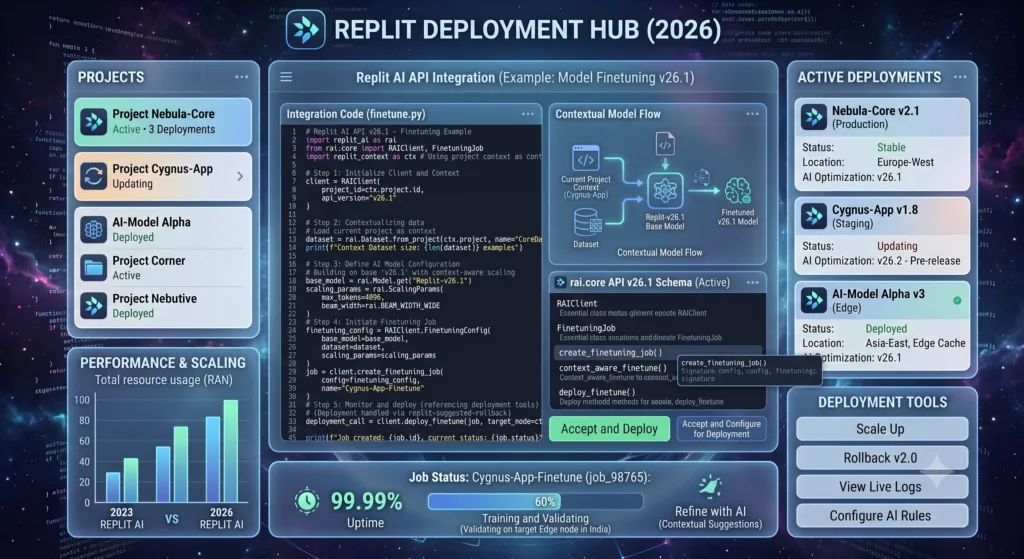
AI software development is changing quickly, and Replit AI is one approach among several. AI programming tools now include code completion engines, autonomous coding agents, AI-powered code review systems, and natural language programming interfaces. Understanding where Replit AI fits requires understanding the broader trends.
The shift toward cloud IDE with AI platforms reflects a recognition that AI coding assistance is most effective when it has access to the full development context. Standalone AI chatbots will always be limited by the information gap between the user’s environment and the AI’s knowledge. Integrated platforms like Replit AI close that gap by giving the AI direct access to the code, the runtime, and the deployment infrastructure.
This integration trend is visible across the industry. AI browser assistants are bringing similar contextual awareness to web-based tasks. The wider AI tools guide shows a clear pattern: the most effective AI tools are those that embed deeply into existing workflows rather than existing as separate interfaces. Replit AI exemplifies this principle in the coding domain.
For those interested in how AI is changing content and SEO strategies alongside development practices, I have explored AI’s role in modern SEO, which draws parallels between AI-assisted coding and AI-assisted content creation. Both domains benefit from the same principle: AI augments skilled practitioners rather than replacing them.
Frequently Asked Questions About Replit AI
1. What exactly is Replit AI and how does it differ from regular Replit?
Replit AI is the artificial intelligence layer integrated into the Replit cloud development platform. While regular Replit provides a browser-based IDE with code editing, file management, and deployment, Replit AI adds three AI-powered capabilities: Ghostwriter for inline code completion and chat-based assistance, the Replit Agent for autonomous multi-step development tasks, and the AI App Builder for generating complete applications from natural language descriptions. The AI has access to your project context, runtime environment, and error logs, which makes it significantly more effective than copying code between a separate AI chatbot and your editor. The AI features are available on all plans, including the free tier, though with usage limits that vary by subscription level.
2. Is Replit AI suitable for complete beginners who have never coded before?
Yes, Replit AI is arguably the most beginner-friendly way to start programming in 2026. The platform eliminates environment setup, which is historically the biggest barrier for newcomers. The AI can generate working code from natural language descriptions, explain what code does, and help debug errors. However, beginners should be thoughtful about how they use the AI. Using it to generate code without understanding it leads to superficial learning. The most effective approach is to use the AI as a tutor: ask it to explain concepts, request it to walk through code line by line, and use it to check your understanding rather than to do all the work. The platform includes educational features specifically designed for classroom use, making it popular among teachers and students.
3. How much does Replit AI cost and is the free plan enough?
Replit AI pricing starts with a useful free plan that includes limited daily AI chat messages, basic Ghostwriter completions, 5 Replit Agent uses per day, and 5 AI App Builder generations per day. For learning and occasional prototyping, the free plan is sufficient. The Core plan at £15 per month removes most limitations, providing effectively unlimited AI access for individual developers. The Teams plan at £30 per user per month adds collaboration features and higher limits. Enterprise pricing is custom. Whether the free plan is enough depends on your usage: if you code daily and rely on AI assistance, you will hit the free plan limits quickly. If you build a project once a week, the free plan may cover your needs.
4. Can Replit AI build and deploy a complete web application?
Yes, Replit AI can build and deploy complete web applications. The AI App Builder can generate a full-stack application from a natural language description, including frontend, backend, database, and configuration. The Replit Agent can build more complex applications through a sequence of autonomous development steps. Once built, deployment is a single click that produces a live URL within approximately 30 seconds. For simple to moderately complex applications, the entire process from idea to deployed product can take minutes to hours. For production-grade applications, the AI-generated code typically requires additional refinement, testing, and hardening. The deployment infrastructure is suitable for prototypes, MVPs, and moderate-traffic applications but may need to be migrated to dedicated hosting for high-traffic production use.
5. How does Replit AI compare to using ChatGPT for coding?
The fundamental difference is context. ChatGPT is a general-purpose AI that requires you to manually provide code snippets, error messages, and project context for each interaction. Replit AI has direct access to your entire project, including all files, the runtime environment, package dependencies, and error logs. This contextual awareness eliminates the tedious back-and-forth of copying code between tools. For sustained development work, Replit AI is significantly more efficient. ChatGPT remains useful for high-level architecture discussions, exploring alternative approaches, and learning new concepts. Many developers, myself included, use both: ChatGPT for thinking and planning, Replit AI for implementing. For a deeper understanding of ChatGPT’s capabilities, see my complete ChatGPT guide.
6. What programming languages does Replit AI work best with?
Replit AI performs best with Python and JavaScript, including their associated frameworks like Flask, FastAPI, React, and Node.js. The AI code completion is most accurate, the chat responses are most relevant, and the Agent produces the most reliable multi-file implementations for these languages. TypeScript, HTML, and CSS also receive excellent support. Support for Go, Rust, Java, and C++ is functional but noticeably less accurate. The difference stems from the amount of training data available and the engineering investment Replit has made. If your work primarily involves Python or JavaScript, you will have an excellent experience. If you work mainly in other languages, you should test the AI features with your specific use case before committing to the platform.
7. Is my code private and secure on Replit AI?
Code on Replit AI is stored on Replit’s cloud infrastructure with standard security practices including encryption in transit and at rest. Projects can be set to private, restricting access to authorised collaborators. The secrets manager provides encrypted storage for sensitive values like API keys and database credentials. However, code submitted to the AI features is processed by Replit’s AI models to generate completions and responses. Replit’s privacy policy permits the use of anonymised data for model improvement on free plans, with opt-out options available on paid plans. For proprietary codebases with strict confidentiality requirements, you should review Replit’s current data handling policies carefully. For most personal and professional projects, the security and privacy provisions are adequate.
8. Can I use Replit AI offline?
No, Replit AI requires an active internet connection at all times. The entire platform runs in the cloud, including the editor, the AI features, and the deployment infrastructure. There is no offline mode or local installation option. This is a deliberate design choice that enables the zero-configuration experience and the integrated AI capabilities, but it means the platform is not suitable for situations where internet connectivity is unreliable or unavailable. If offline development capability is important for your workflow, local editors with AI plugins like GitHub Copilot or Cursor AI may be more appropriate, though they too require internet connectivity for their AI features. The editor itself can function offline in those tools, even if the AI cannot.
9. How reliable is the Replit Agent for complex development tasks?
The Replit Agent is reliable for common development patterns and well-defined tasks. It handles CRUD operations, authentication systems, API endpoints, form handling, and database interactions with high accuracy. For novel or highly specific requirements, reliability decreases significantly. The Agent can produce working but subtly incorrect code for unusual architectural patterns, custom algorithms, or domain-specific logic. My practical recommendation: use the Agent for scaffolding, boilerplate, and well-understood patterns. Take over manually for the unique parts of your application. This hybrid approach captures the time savings of AI generation while avoiding the debugging overhead of AI-generated edge cases. Always review Agent-generated code before deploying it, especially for security-sensitive functionality.
10. Can multiple people collaborate on a Replit AI project simultaneously?
Yes, Replit AI supports real-time collaborative editing similar to Google Docs. Multiple users can edit the same project simultaneously with changes reflected instantly. The AI features work during collaboration sessions, so all participants can use Ghostwriter, the Agent, and AI chat. This makes pair programming and remote mentoring more effective. Permissions can be managed to control who can edit, who can deploy, and who can access secrets. The Teams and Enterprise plans include additional collaboration features like team-wide secrets sharing and administrative controls. For distributed teams, the combination of cloud-based access and real-time collaboration eliminates many of the coordination overheads associated with traditional development environments.
11. What are the limitations of Replit deployment for production applications?
Replit deployment is optimised for convenience and speed rather than high-traffic production workloads. Deployed applications run on shared infrastructure with resource limits that vary by plan. The free plan includes limited uptime hours, while paid plans offer always-on hosting. For applications expecting hundreds or thousands of concurrent users, Replit’s deployment infrastructure may not provide sufficient performance or reliability. There are also fewer configuration options compared to dedicated hosting platforms: you cannot customise server software, configure load balancing, or set up geographic distribution. For production applications with significant traffic, plan a migration path to a dedicated hosting provider like AWS, Google Cloud, or Vercel. Replit deployment is excellent for prototypes, MVPs, internal tools, and low-traffic applications.
12. Does Replit AI work well for mobile app development?
Replit AI currently supports mobile development primarily through responsive web applications. You can build progressive web apps that work well on mobile devices, and the AI can generate mobile-responsive CSS and touch-friendly interfaces. Native mobile development for iOS or Android is not directly supported within the Replit environment. There are community templates for React Native and Flutter, but these are not officially supported and may have limitations. If mobile development is your primary focus, dedicated mobile development environments like Expo for React Native or Android Studio for native Android development are more appropriate. Replit AI is strongest for web applications, APIs, and backend services.
13. How does Replit AI handle version control and Git?
Replit AI includes built-in Git integration with support for common operations: clone repositories, stage and commit changes, push and pull from remote repositories, create and merge branches, and view commit history. The interface is simpler than dedicated Git clients but covers the most common workflows. GitHub integration allows connecting repositories directly. When using AI features with version control, changes generated by the Agent appear as modifications to the affected files. I recommend reviewing AI-generated changes file by file before committing and making regular commits before asking the AI for major changes. Complex Git operations like interactive rebasing, cherry-picking, or resolving complex merge conflicts are better handled through the terminal or an external Git tool.
14. Can I use my own AI models or API keys with Replit AI?
Replit AI uses Replit’s own AI models for the built-in Ghostwriter, Agent, and App Builder features. These cannot be swapped for alternative models. However, you can use external AI APIs within your Replit projects. You can store OpenAI, Anthropic, Google AI, or other API keys in the secrets manager and call those APIs from your code. This allows you to build applications that use custom AI capabilities beyond what the built-in AI features provide. The built-in AI features are designed to assist with development, while external AI APIs can be used to add AI capabilities to the applications you build. These are complementary capabilities rather than alternatives.
15. Is Replit AI worth paying for compared to free alternatives?
For regular users who build and deploy applications multiple times per month, Replit AI at £15 per month for the Core plan represents good value. The time saved by unlimited AI access, always-on deployment, and higher resource limits easily exceeds the subscription cost for anyone using the platform professionally. Free alternatives like using ChatGPT for code generation combined with a local editor can approximate some of the functionality, but the efficiency loss from context switching and manual deployment configuration is substantial. For occasional users who build a project once a month or less, the free plan or free alternatives may be sufficient. The value proposition strengthens considerably if you value the integrated experience and the elimination of environment setup and deployment friction. For professional developers who prototype frequently, the Core plan pays for itself rapidly in time savings.
External Resources and Documentation
For the most current information about Replit AI, consult the official sources. The official Replit documentation provides comprehensive coverage of platform features and configuration. The official Replit pricing page has the most current plan details and feature comparisons. For AI-specific documentation, the Replit AI documentation covers Ghostwriter, the Agent, and the App Builder in detail. The Replit blog regularly publishes updates about new features and improvements. For language-specific resources, consult the official Python documentation, the official React documentation, the official Node.js documentation, and the official GitHub documentation for version control guidance.
Conclusion: My Genuine Assessment After 14 Months with Replit AI
After 14 months, over 40 projects, and countless hours inside Replit AI, my assessment is more nuanced than the marketing from either advocates or critics would suggest. This is a genuinely useful platform that has meaningfully improved my development productivity for certain categories of work. It is not a replacement for traditional development environments, and it is not the right tool for every project.
Who Should Use Replit AI
Replit AI is an excellent choice for beginners learning to code, students working on programming assignments, educators teaching programming courses, freelancers who need to prototype and deliver projects quickly, startup founders validating ideas with MVPs, developers building internal tools and dashboards, and anyone who values rapid iteration from idea to deployed application. If your work involves Python or JavaScript web applications of small to medium complexity, the platform is a clear step up from traditional local development for the initial build and deployment phases.
Who Should Avoid Replit AI
Replit AI is not the right choice for developers working on very large codebases with hundreds of files, teams building high-traffic production systems requiring dedicated infrastructure, developers whose primary languages are not well-supported by the AI, anyone who needs offline development capability, organisations with strict data privacy requirements that preclude cloud-based AI processing, and developers who rely heavily on VS Code extensions or other editor-specific tooling. For these use cases, local development environments with AI plugins or alternative cloud platforms are more appropriate.
Is It Worth Paying For?
The Core plan at £15 per month is worth it if you build and deploy applications at least a few times per month. The time savings from unlimited AI access, always-on deployment, and higher resource limits comfortably exceed the subscription cost. The Free plan is generous enough to evaluate the platform thoroughly before committing. I pay for Core and consider it good value. I would not pay for Teams unless I were managing a small organisation that builds applications collaboratively. Enterprise pricing requires a conversation with Replit’s sales team, and the value depends entirely on your organisation’s specific requirements.
Best Alternatives
The strongest alternatives to Replit AI depend on what you value most. Cursor AI is better for code editing within existing local projects. GitHub Copilot offers broader editor support and more consistent performance across languages. ChatGPT with manual context management works for occasional coding assistance. For those interested in understanding these alternatives better, I have detailed guides on Perplexity AI for research-oriented work and the broader ecosystem of AI-powered tools. None of these alternatives match Replit AI’s integrated environment and one-click deployment, but each excels in specific scenarios.
Final Rating
I rate Replit AI 8.2 out of 10 for its target use case: rapid development and deployment of web applications using Python or JavaScript. It loses points for large project performance limitations, variable support for non-core languages, and the absence of offline capability. It gains points for the strong AI integration, the frictionless deployment experience, and the remarkable accessibility for beginners. This is not a perfect tool, but it is a very good one that has earned its place in my development toolkit. I expect the rating to improve as the platform continues to mature and the AI capabilities expand.