

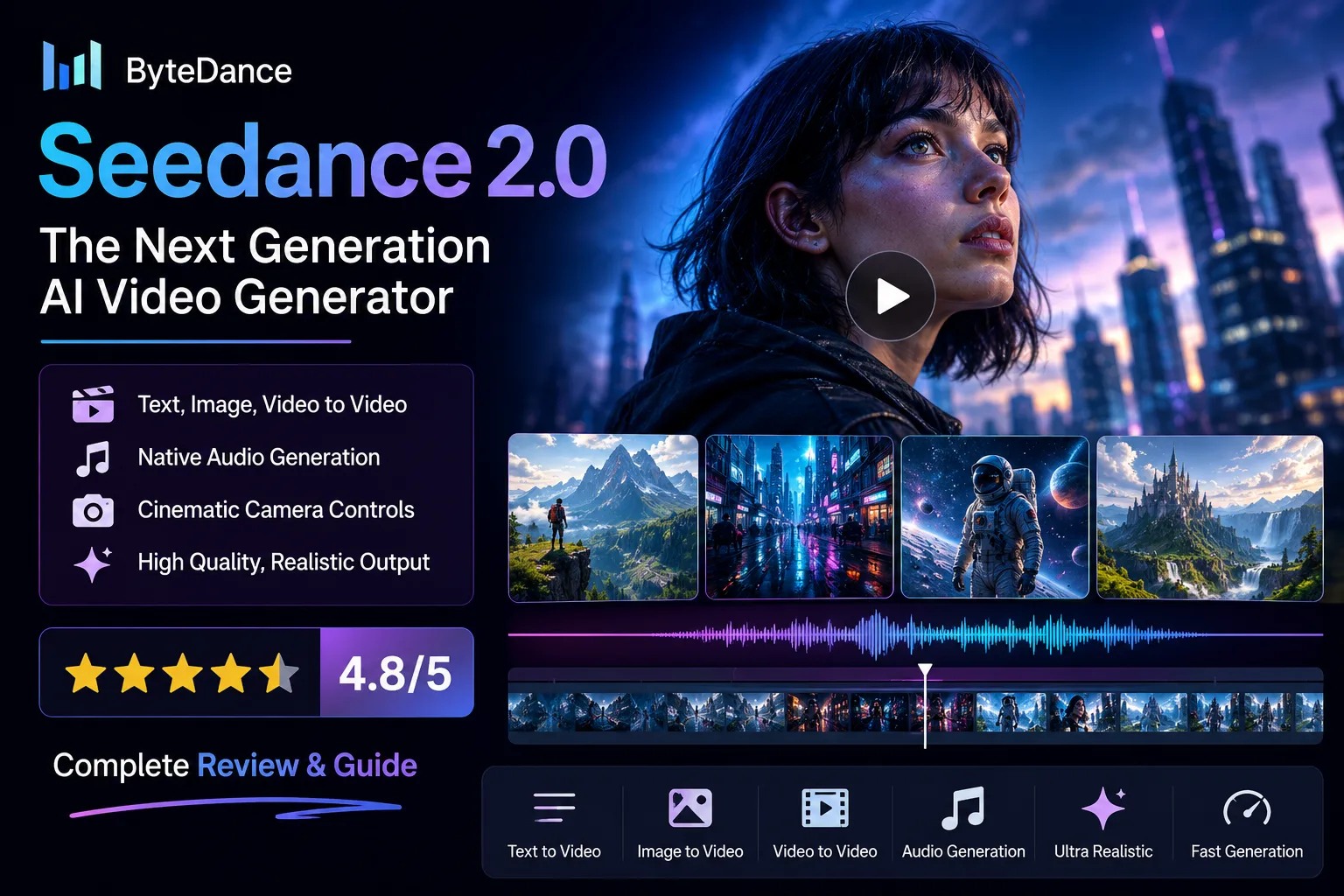
Artificial intelligence is changing video creation at an incredible pace. Only a few years ago, producing a cinematic video required expensive cameras, skilled editors and hours of post-production work. Today, AI models can generate impressive videos from a simple text prompt, and each new release continues to push the technology forward.
One of the newest names making headlines is Seedance 2.0, ByteDance’s latest AI video generation model. Built by the company behind TikTok, Seedance 2.0 promises smoother motion, better character consistency, realistic camera movement and support for multiple input types, including text, images, videos and audio.
While tools like Google’s Veo, OpenAI’s Sora and Kling AI have already raised expectations, Seedance 2.0 enters the market with its own strengths. It is designed for creators who want greater creative control without spending hours editing footage manually.
Whether you create YouTube videos, social media content, product advertisements, educational content or short films, Seedance 2.0 aims to make professional-quality video production far more accessible.
In this review, we’ll explore its features, pricing, advantages, limitations and whether it deserves a place in your AI toolkit for 2026.
Seedance 2.0 at a Glance
| Feature | Details |
|---|---|
| Developer | ByteDance |
| Category | AI Video Generator |
| Best For | Content creators, marketers, educators and businesses |
| Input | Text, Images, Videos and Audio |
| Output | AI-generated videos with cinematic motion |
| Resolution | Up to 1080p |
| Video Length | Around 5 to 15 seconds |
| Platform | Web |
| Free Access | Limited |
| Official Website | ByteDance Seed |
What Is Seedance 2.0?
Seedance 2.0 is ByteDance’s latest multimodal AI model designed to generate high-quality videos from text prompts, reference images, videos and audio clips.
Unlike traditional AI video tools that depend primarily on text instructions, Seedance allows users to provide multiple references. This gives the AI much more context, resulting in videos that maintain visual consistency and better follow the intended creative direction.
For example, instead of writing a simple prompt such as “a man walking through a forest”, you can upload reference images of the character, provide an example video for camera movement and even include an audio clip to influence the final result.
The combination of these inputs makes Seedance 2.0 feel more like a creative production assistant than a simple AI generator.
If you’re still learning how modern AI models interpret prompts, our guide on How AI Tools Work: What Actually Happens Behind the Screen explains the complete process in simple language.
Why Is Seedance 2.0 Getting So Much Attention?
The AI video industry has become one of the most competitive areas in artificial intelligence. Every few months, a new model promises better visuals, smoother animation and more realistic storytelling.
Seedance 2.0 stands out because it focuses on solving several common problems that have frustrated creators for years.
These include:
- Better character consistency across multiple scenes
- More natural facial expressions
- Improved object movement and physics
- Native audio generation
- Better understanding of complex prompts
- Professional camera controls
- More realistic lighting
- Stronger cinematic quality
Rather than generating disconnected clips, Seedance aims to produce videos that feel like part of the same story.
For businesses creating branded content or creators building recurring characters, this consistency can save hours of editing work.
If you’re exploring different AI solutions beyond video generation, our Ultimate Guide to AI Tools (2026) covers dozens of platforms for writing, coding, design, research and productivity.
Key Features of Seedance 2.0
Text-to-Video Generation
The main attraction of Seedance 2.0 is its powerful text-to-video capability.
Users simply describe a scene in natural language, and the AI transforms that prompt into a short cinematic video.
A prompt like this:
“A lone astronaut walking across a frozen alien planet during sunrise, dramatic lighting, cinematic camera movement, ultra realistic, film quality.”
can produce a visually rich sequence complete with realistic lighting, environmental effects and dynamic camera angles.
Compared with earlier AI video generators, Seedance does a much better job of understanding atmosphere, composition and storytelling rather than simply generating random movement.
Creators who already use conversational AI for brainstorming can combine Seedance with tools like ChatGPT to write detailed prompts before generating videos. If you’re new to prompt writing, our Complete ChatGPT Guide for Beginners explains practical techniques for getting better AI outputs.
Image-to-Video Animation
Seedance 2.0 can also animate static images.
Instead of beginning with text, users upload an image and instruct the AI to create realistic movement while preserving the subject’s appearance.
This feature works particularly well for:
- Product photography
- Character illustrations
- Portraits
- Landscapes
- Digital artwork
- Marketing banners
- Social media visuals
Brands can transform existing product images into engaging promotional videos without organising expensive video shoots.
Artists can also breathe life into their digital illustrations while maintaining the original artistic style.
Multi-Reference Character Consistency
One of the biggest challenges in AI video generation has been maintaining consistent characters.
Many earlier AI models produced noticeable changes between scenes. Hairstyles, clothing, facial features and accessories often changed unexpectedly, making it difficult to create longer stories.
Seedance 2.0 significantly improves this area by allowing multiple reference images and videos.
Instead of relying on a single image, the model analyses several references before generating the final video.
The result is better consistency throughout the sequence, making it more suitable for storytelling, advertising campaigns and branded content.
This improvement is especially valuable for YouTubers, marketing agencies and independent filmmakers producing recurring characters.
Native Audio Generation
Many AI video tools still require creators to generate visuals first before adding music, dialogue or sound effects separately.
Seedance 2.0 reduces this extra work by supporting native audio generation within the creative workflow.
Depending on the project, the AI can produce environmental sounds, background ambience and synchronised audio that better matches the generated visuals.
This creates a smoother production pipeline and reduces the number of external editing tools required.
For creators building complete AI production workflows, platforms such as Microsoft Copilot can also assist with scripting, planning and documentation before moving into video creation.
Cinematic Camera Controls
Another impressive feature is the level of camera control available.
Instead of leaving every movement to the AI, creators can describe cinematic techniques directly within the prompt.
Examples include:
- Slow tracking shots
- Drone-style flyovers
- Close-up portraits
- Wide establishing shots
- Smooth zoom effects
- Handheld documentary style
- Low-angle cinematic scenes
These controls help videos feel more intentional rather than randomly generated.
If you’ve experimented with AI image generators such as Midjourney AI, you’ll notice a similar emphasis on descriptive prompting. Our complete Midjourney AI Guide explains how detailed prompts dramatically improve creative results, and many of those techniques also work well when writing prompts for Seedance 2.0.
Better Motion and Realistic Physics
Smooth movement has become one of the biggest benchmarks for modern AI video generators.
Earlier systems often produced unnatural walking animations, distorted hands or objects that behaved unrealistically.
Seedance 2.0 introduces noticeable improvements in motion quality.
People walk more naturally.
Hair responds more realistically to wind.
Clothing moves with greater accuracy.
Objects interact with their surroundings in a much more believable way.
These improvements make generated videos appear significantly more professional, especially when compared with older AI models.
Multimodal Input Support
Unlike traditional AI generators, Seedance combines several different types of input into one workflow.
Users can work with:
- Text prompts
- Images
- Reference videos
- Audio clips
This multimodal approach gives creators much greater control over the final output.
Rather than relying on a single prompt, every reference contributes additional context, helping the AI understand exactly what the user wants.
This is one of the reasons many early reviewers believe Seedance 2.0 could become a serious competitor in the rapidly growing AI video market.
My Experience with Seedance 2.0
After exploring Seedance 2.0 and reviewing its capabilities, it is clear that ByteDance is aiming for more than just another AI video generator. The platform feels designed for creators who want greater control over the final result rather than relying on completely random AI outputs.
What impressed me most was the emphasis on consistency. Many AI video tools still struggle to keep characters, clothing and backgrounds stable from one scene to the next. Seedance 2.0 appears to address this by supporting multiple reference images and videos, giving the model a much clearer understanding of what should remain unchanged.
Another standout area is prompt interpretation. The model pays attention to details such as lighting, camera direction and mood instead of focusing only on the main subject. This makes videos look more intentional and cinematic.
Of course, no AI model is perfect. Like other generative video tools, very complex prompts may require several attempts before producing the desired result. Fast-moving action scenes and highly detailed interactions can still show occasional inconsistencies.
Overall, Seedance 2.0 looks like one of the strongest AI video models available in 2026, particularly for short-form content.
Seedance 2.0 Pricing
At the time of writing, ByteDance has not announced a simple public pricing structure for every user. Access is expanding gradually, and pricing may vary depending on the platform or service through which Seedance 2.0 is offered.
Potential options may include:
| Plan | Suitable For |
|---|---|
| Free Trial | Testing the platform |
| Creator Plan | Individual creators |
| Professional Plan | Businesses and agencies |
| Enterprise | Large organisations |
As commercial availability expands, expect additional features such as higher generation limits, priority processing and longer video durations.
Pros
- Excellent prompt understanding
- Smooth and natural camera movement
- Better character consistency than many competitors
- Supports text, image, audio and video inputs
- Cinematic lighting and composition
- Native audio generation
- Easy workflow for beginners
- Suitable for marketing, education and entertainment
- Strong visual quality
- Fast generation compared with many cloud-based tools
Cons
Despite its strengths, there are still a few limitations.
- Public access is currently limited
- Videos remain relatively short
- Complex scenes may require multiple generations
- Some advanced controls are still evolving
- Pricing details are not fully transparent yet
These limitations are fairly common across the current generation of AI video tools and will likely improve over time.
Who Should Use Seedance 2.0?
Seedance 2.0 is suitable for a wide range of users.
Content Creators
Creators can generate YouTube intros, Shorts, TikTok videos, Instagram Reels and promotional clips without hiring an animation team.
Digital Marketers
Marketing agencies can create product advertisements, social media campaigns and brand storytelling videos much faster than traditional production methods.
Small Businesses
Companies with limited budgets can produce professional-looking promotional videos without investing in expensive filming equipment.
Educators
Teachers and online instructors can create engaging educational animations that simplify complex topics.
Designers and Artists
Artists can animate concept art, illustrations and character designs while maintaining visual consistency.
Students interested in creative AI workflows may also enjoy our guide to Best AI Tools for Students: 18 Apps I Actually Use to Study Smarter.
Seedance 2.0 vs Google Veo, Sora and Kling AI
| Feature | Seedance 2.0 | Google Veo | OpenAI Sora | Kling AI |
|---|---|---|---|---|
| Text to Video | Yes | Yes | Yes | Yes |
| Image to Video | Yes | Yes | Yes | Yes |
| Native Audio | Yes | Limited | Limited | No |
| Character Consistency | Excellent | Very Good | Very Good | Good |
| Camera Controls | Advanced | Advanced | Good | Good |
| Motion Quality | Excellent | Excellent | Excellent | Very Good |
| Ease of Use | Easy | Moderate | Moderate | Easy |
Each platform has its own strengths, but Seedance 2.0 positions itself as a balanced solution that combines quality, flexibility and creative control.
If you’re interested in Google’s AI ecosystem, read our guide on Google Gemini Explained: Features, Models, Pricing & How to Use It.
Best Prompt Examples for Seedance 2.0
A good prompt often makes the difference between an average result and an impressive one.
Cinematic Travel Video
A traveller walking through the narrow streets of Kyoto during autumn, golden leaves falling, cinematic lighting, slow tracking camera, ultra realistic, shallow depth of field.
Product Advertisement
A luxury smartwatch rotating on a black reflective surface with dramatic studio lighting, premium commercial style, slow motion, high detail.
Fantasy Scene
A medieval castle floating above the clouds during sunrise, dragons flying around the towers, cinematic aerial camera movement, realistic atmosphere.
Wildlife Documentary
A snow leopard walking across icy mountain cliffs during winter, natural daylight, realistic fur movement, documentary style, smooth drone camera.
The more descriptive your prompt is, the better the AI understands your creative vision.
To improve your research and prompt writing skills, check out our Perplexity AI Review.
Seedance 2.0 Alternatives
- OpenAI Sora
- Google Veo
- Kling AI
- Runway
- Pika
- Luma Dream Machine
- Hailuo AI
Developers building AI-powered applications should also explore Amazon Bedrock: The Complete 2026 Guide to AWS Generative AI.
If you’re creating AI software, our reviews of Cursor AI, GitHub Copilot AI and Replit AI are worth reading.
If you enjoy exploring the latest AI innovations, you may also like our guides on AI Browser Assistants, AI in SEO, Best Amazon AI Tools and Continua AI Review 2026.
Our Verdict
Seedance 2.0 delivers exceptional visual quality, impressive prompt understanding and practical creative controls that make AI video production faster and more accessible. Its support for text, images, audio and reference videos provides a flexible workflow for creators, marketers and businesses looking to produce professional content without complex editing. While public access is still expanding, ByteDance has already demonstrated that Seedance 2.0 has the potential to become one of the leading AI video generators available in 2026.